One app for charging company cars: EV Mode for Circle K Pro

Circle K Pro is the app B2B drivers use to fuel and charge company cars. I designed EV Mode: one place to find a charger, charge at a station or at home, and keep track of costs, replacing the physical company card.
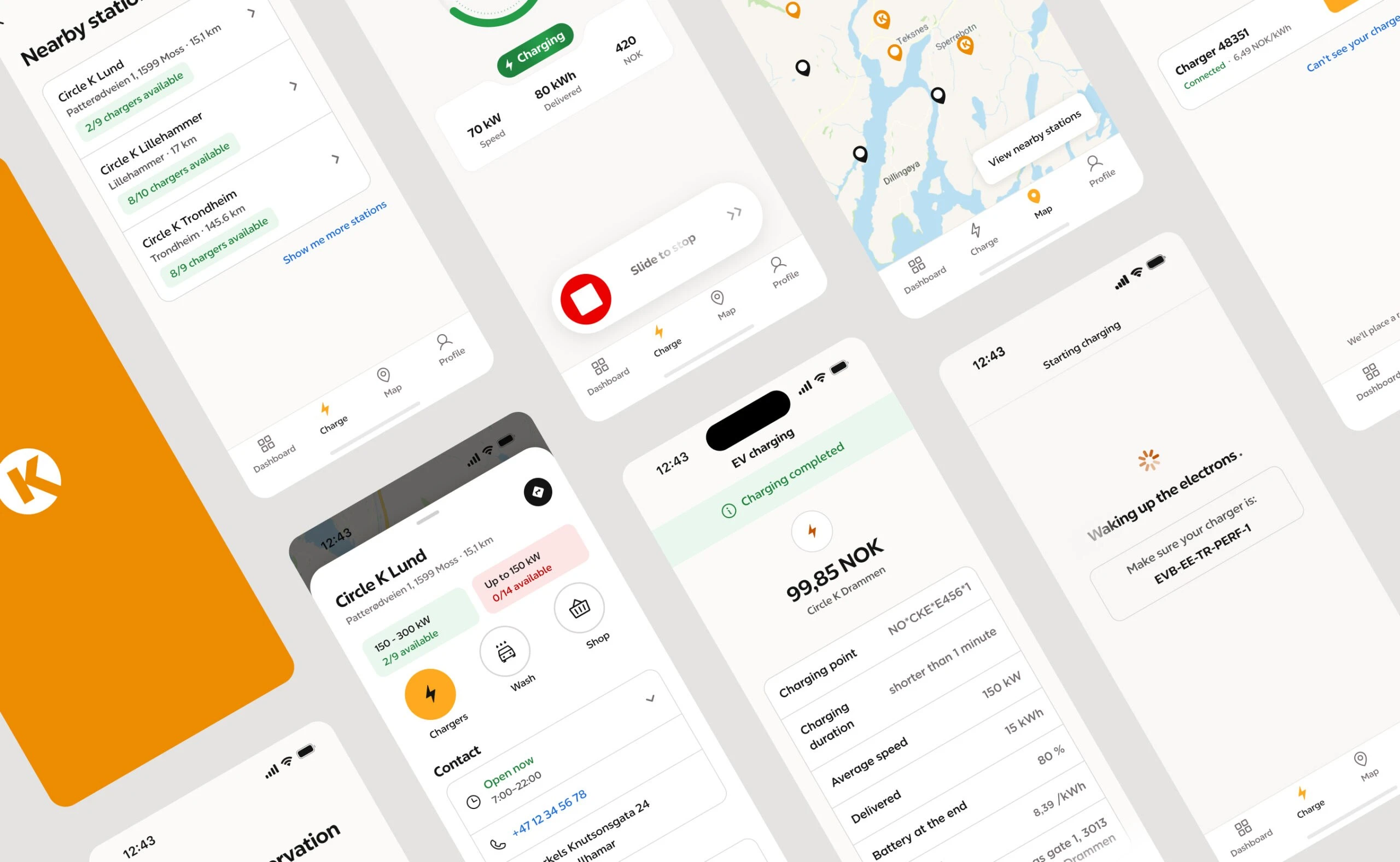
- 30.5k
- installed EV Mode users in the first 30 days after launch.
- 2.69k
- new users in the first month after launch.
- 3 → 1
- separate tools (company card, station finder and home charging app) replaced by one app.
Problem and goal
To charge a company car, B2B drivers juggled three tools: a physical company card at the charger, a separate app to find stations and check availability, and their car maker’s app to follow the session. The card flow also couldn’t check spending limits or reserve payments in real time, which left compliance gaps for Circle K.
The goal was to bring all of it into the existing Circle K Pro app: a fully digital charging flow for company drivers, with the standalone Home Charging app merged in, and without getting in the way of the consumer experience that runs on the same platform. Every virtual card would also replace a physical one that costs €3.5 to produce and distribute.
What drivers told us
Together with our UX researcher, we tested the flows with around 100 drivers on site, at Circle K charging stations: fleet drivers, taxi drivers (a third of B2B charging in Scandinavia) and drivers who also charge at home. Four findings shaped the design.
- Familiar beats clever. Drivers expected patterns they already knew from other apps. Wherever an action relied on an icon alone, we added a text label, even when it cost space.
- The map still matters. Even with a dashboard as the home screen, drivers relied on the map to plan their stops. The first thing they looked for was whether a charger was free right now, so real-time charger availability is shown on the map and on every station.
- Availability over price. Company drivers are doing their job, and payments are handled by their fleet manager. The cost of a charge mattered far less to them than finding a free charger, so availability comes first in the flow and cost details stay secondary.
- Two kinds of money. At a station, company drivers never pay with their own money. At home, the same driver adds their own card and charges both privately and for work. So the app keeps company and private charging apart, from starting a charge to reports and transactions.
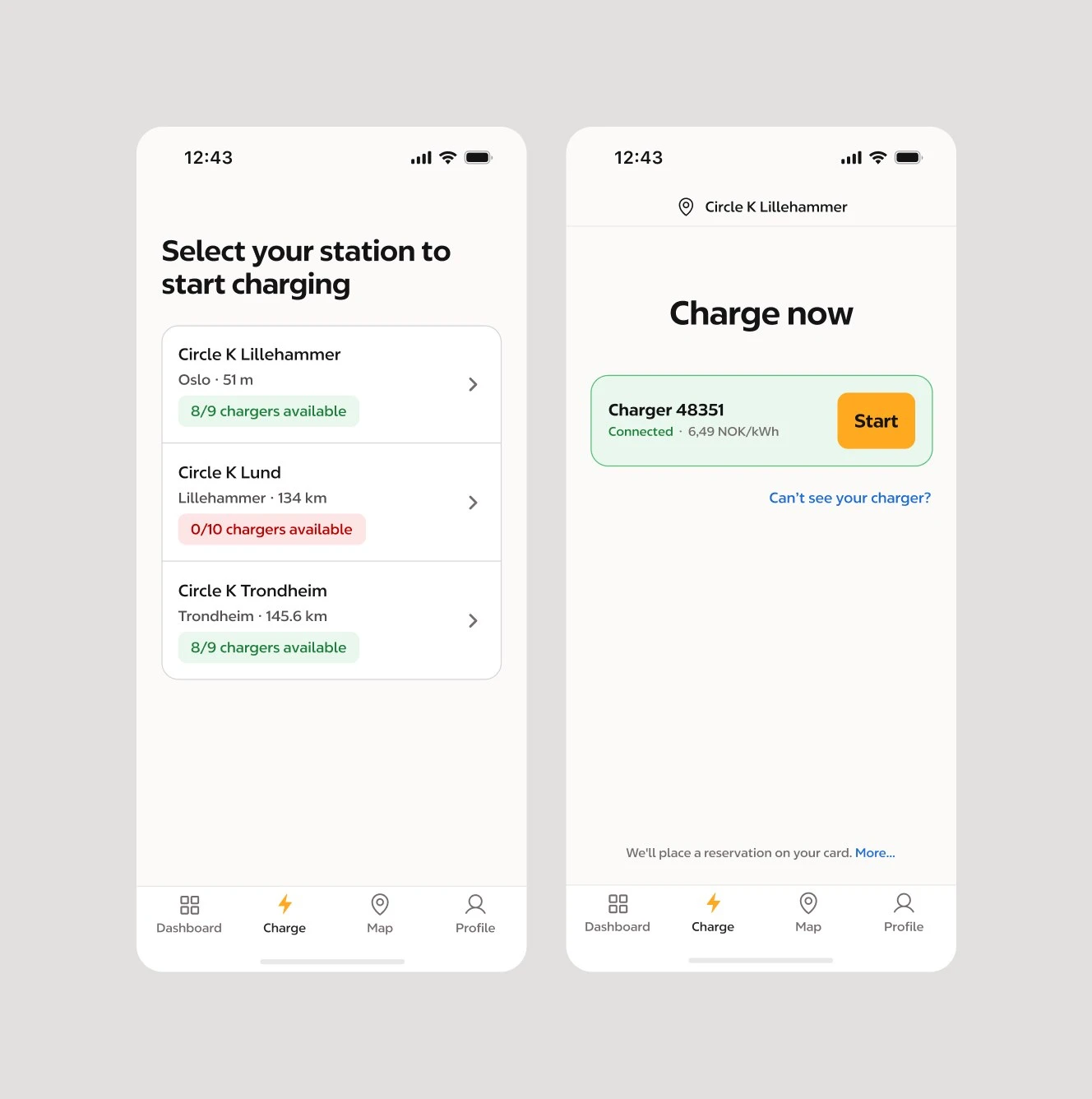
Familiar patterns and text labels: choosing a station and starting a charge.
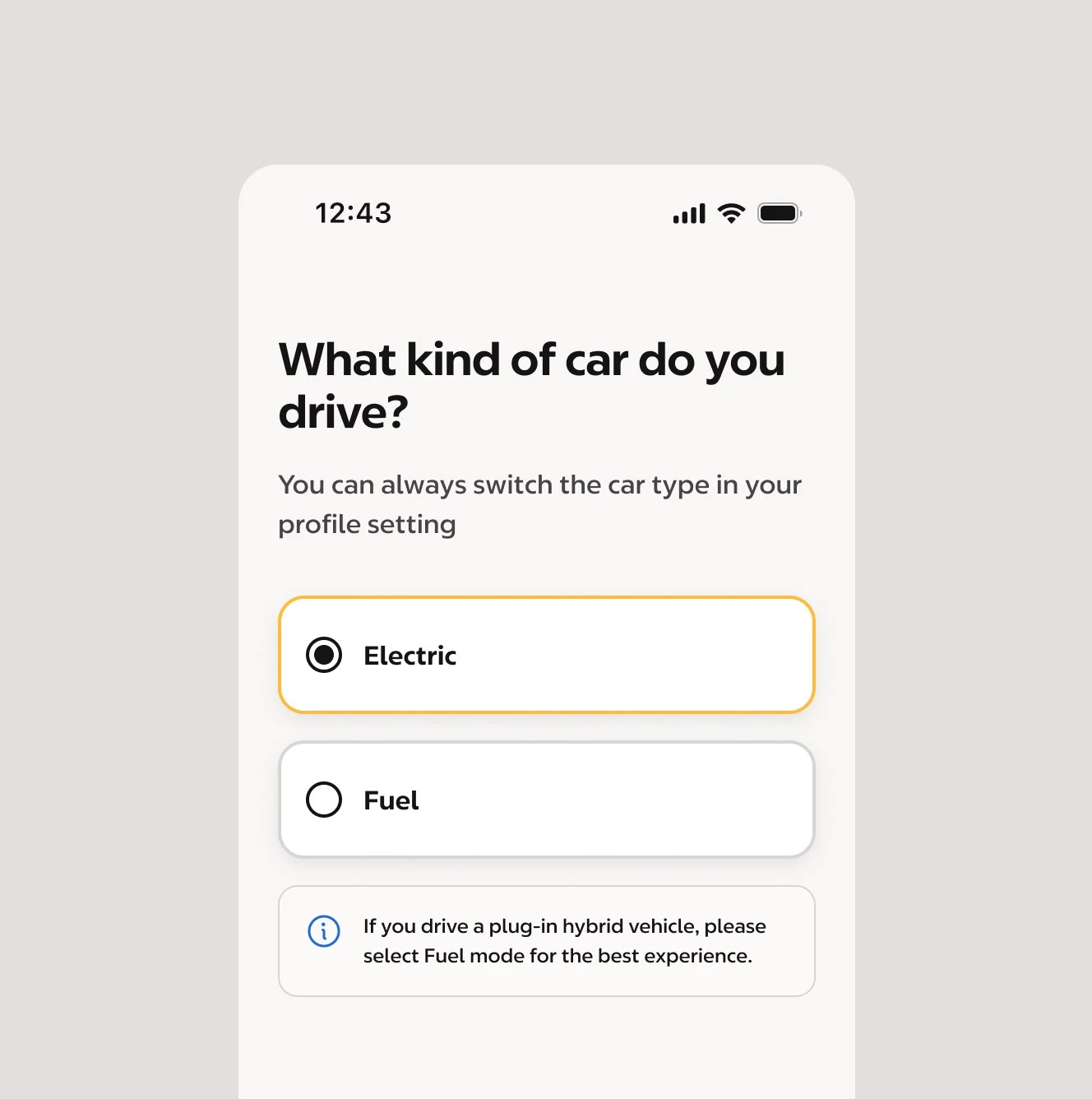
One question at a time in onboarding, with plain-language hints.
Key decisions
- Dashboard as the home screen, not the map. Testing split drivers down the middle: half wanted the app to open on the map, half on a dashboard. Circle K’s fuel app opens on a map, but it offers far fewer actions, and data from the consumer app showed drivers made good use of its dashboard. So I recommended the dashboard: it puts the whole control center in one place (station charging, home charging and the account), while the map stays one tap away in the navigation. The team went with the dashboard.
- A parallel B2B flow, not a fork. Instead of forking the consumer charging flow, I worked with the B2C team to understand the shared infrastructure and designed a parallel B2B flow on top of it. B2B scenarios like limit reservation and corporate authentication got their own steps, and no squad had to maintain a duplicate.
- Help first, phone last. Data showed that drivers called support as their first step when a charge failed. The EV Help Center answers the most common failure scenarios on the spot, and the support number sits at the bottom, on purpose.
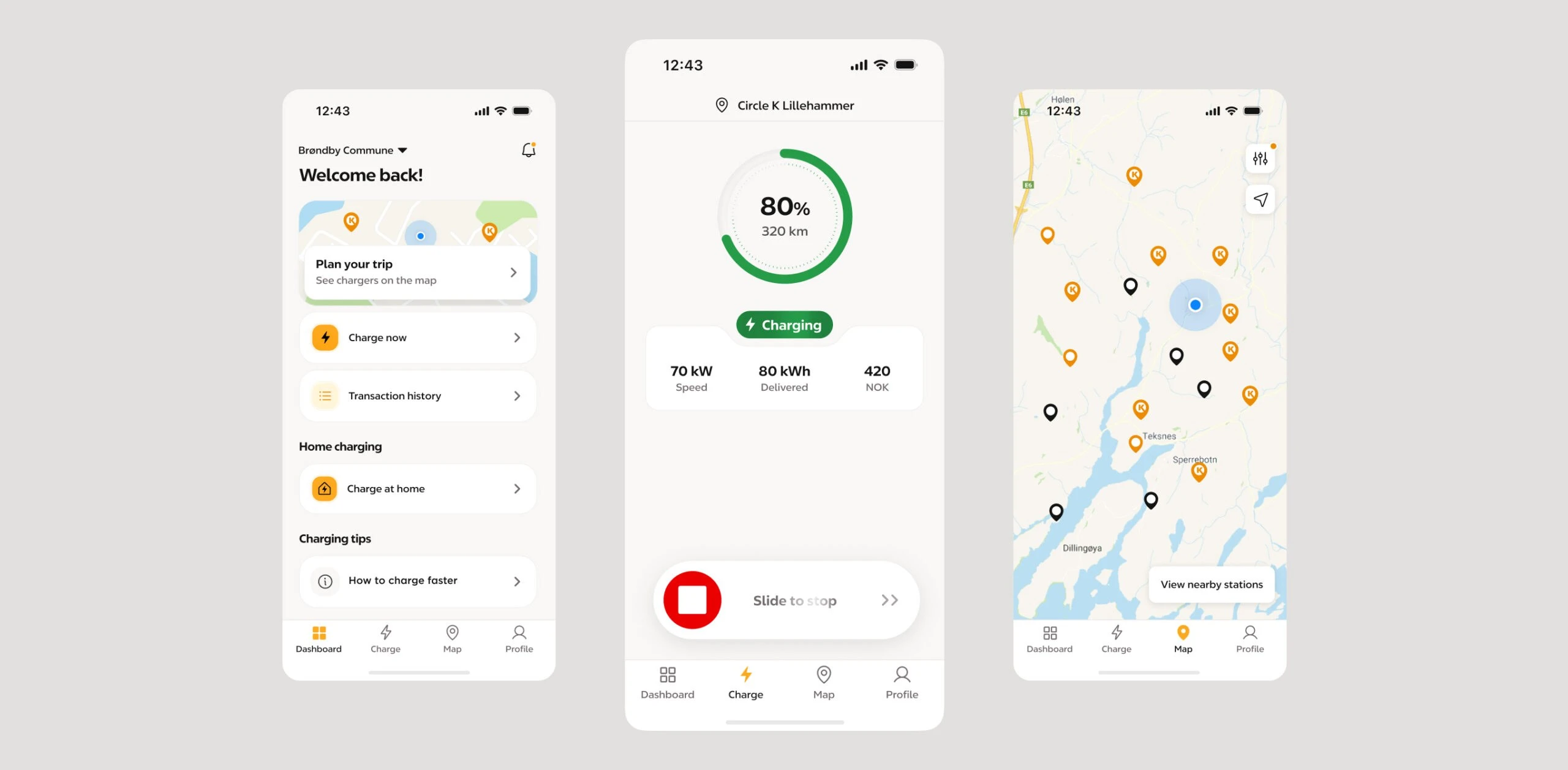
The dashboard as the home screen: station charging, home charging and the account in one view.
The B2B charging flow, from choosing a charger to following the session.
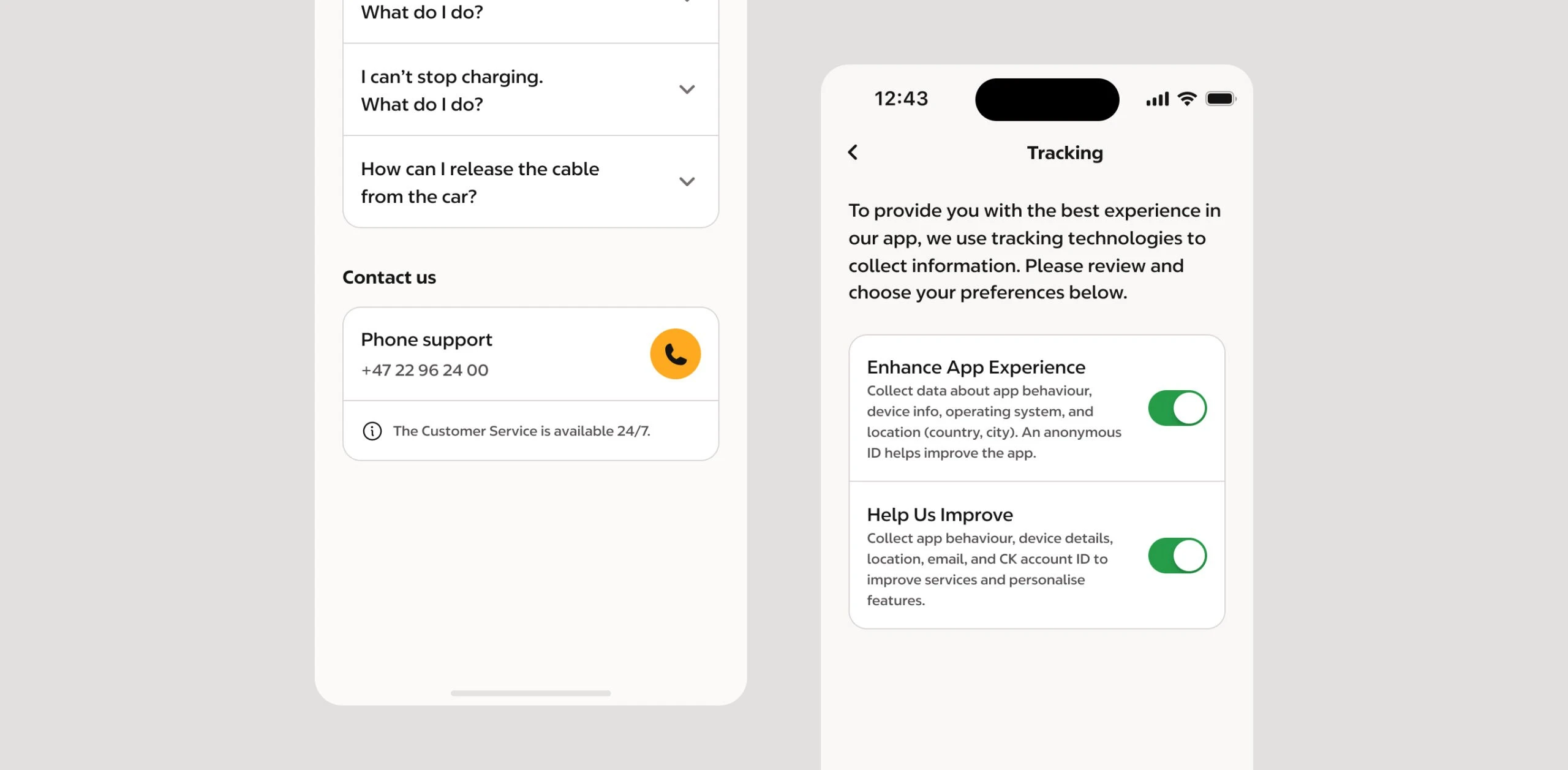
Help first, phone last: answers to the most common charging issues.
What I designed
- Charging on the road. The end-to-end digital charging flow for company cars: choosing a station and charger, limit reservation, corporate authentication, following the session, and receipts for the fleet.
- Home charging and costs. The standalone Home Charging app merged into Circle K Pro, private and company charging side by side, a profile that switches to EV Mode, and a transaction history with charts and filters for fleet cost management.
- Getting drivers started. A step-by-step onboarding for Smart Charging (scheduling home charging for when electricity is cheaper), a technically complex feature, introducing one concept at a time with illustrations made for each step.
- Documentation the team could build on. Every screen documented with all its states and elements, shared with engineering, PM and PO as a deliverable, not internal notes. I also looked after the EV design system, so other EV squads could reuse the same components and patterns.
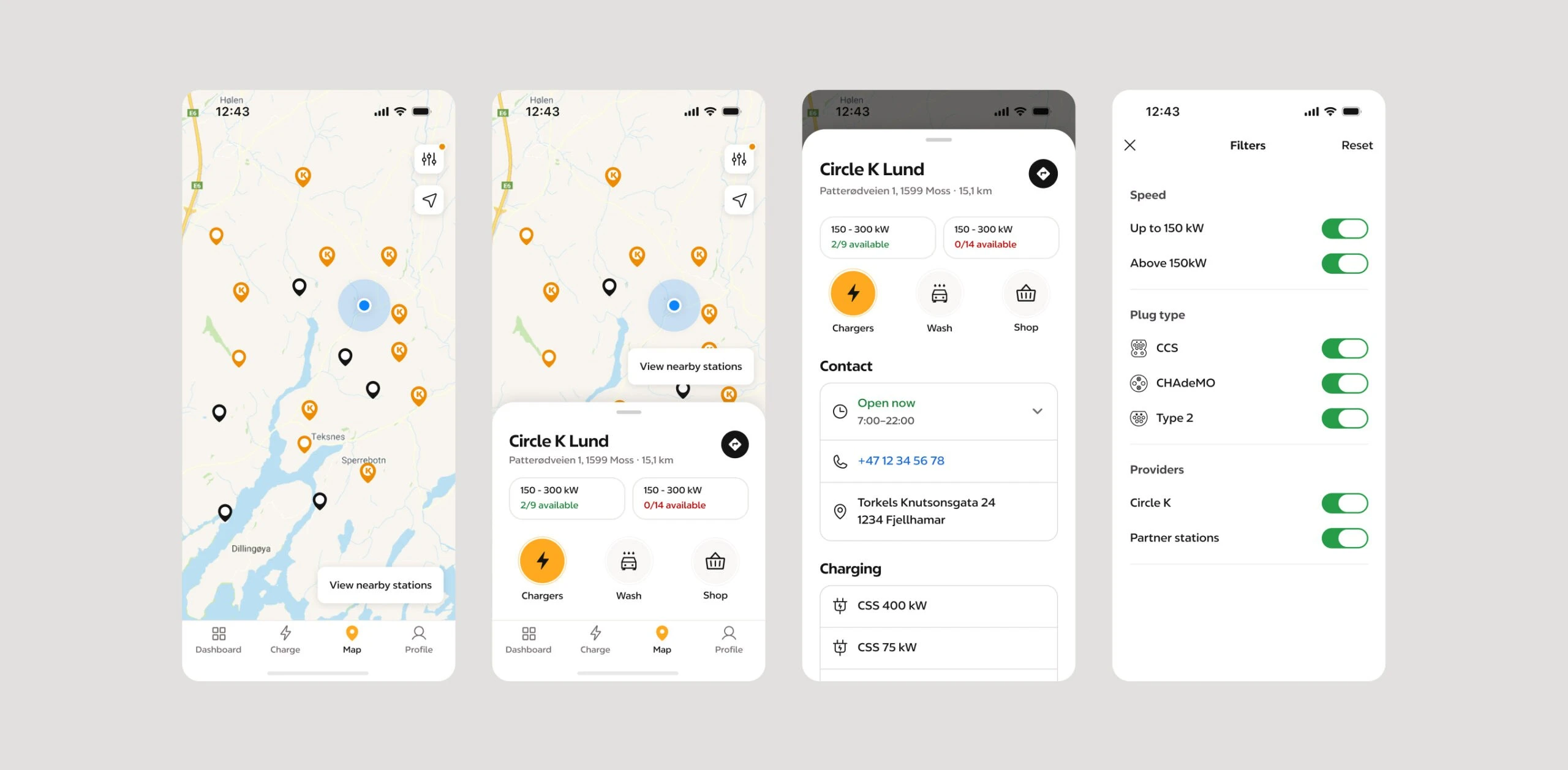
The map, one tap away: real-time charger availability and filters.
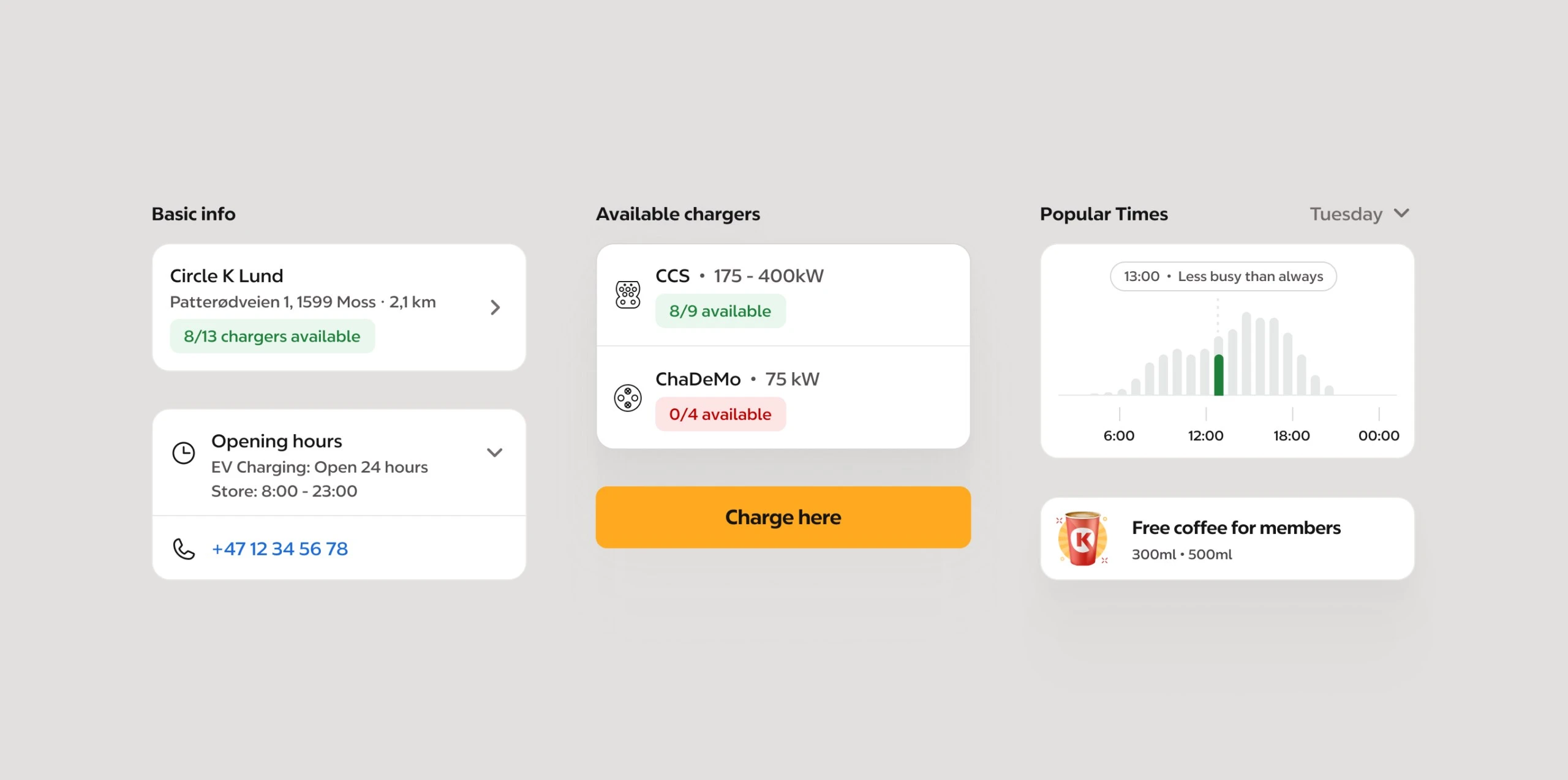
Station details: free chargers, charging speed, popular times and what else the station offers.
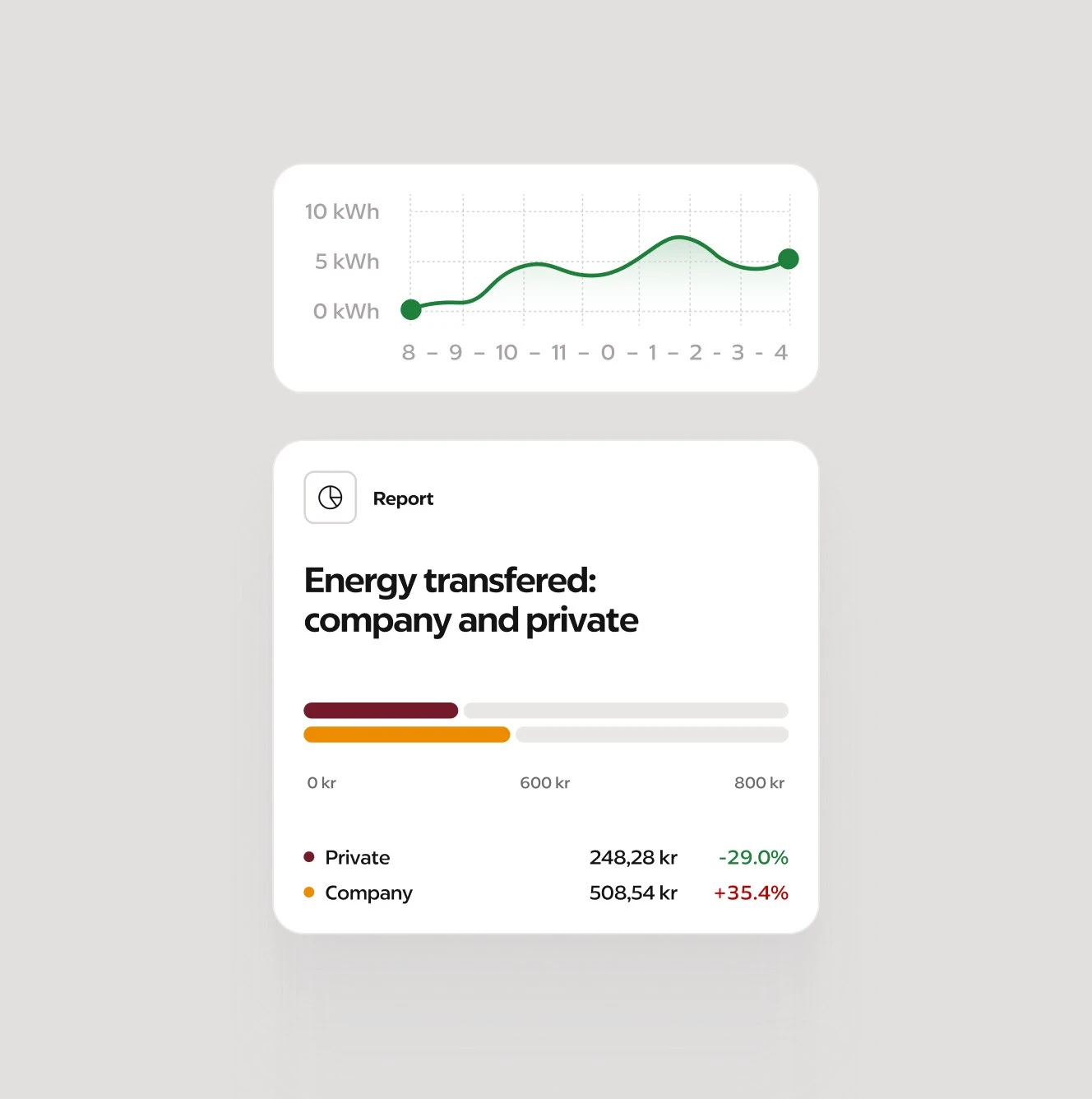
Who pays, at a glance: energy split into company and private charging.
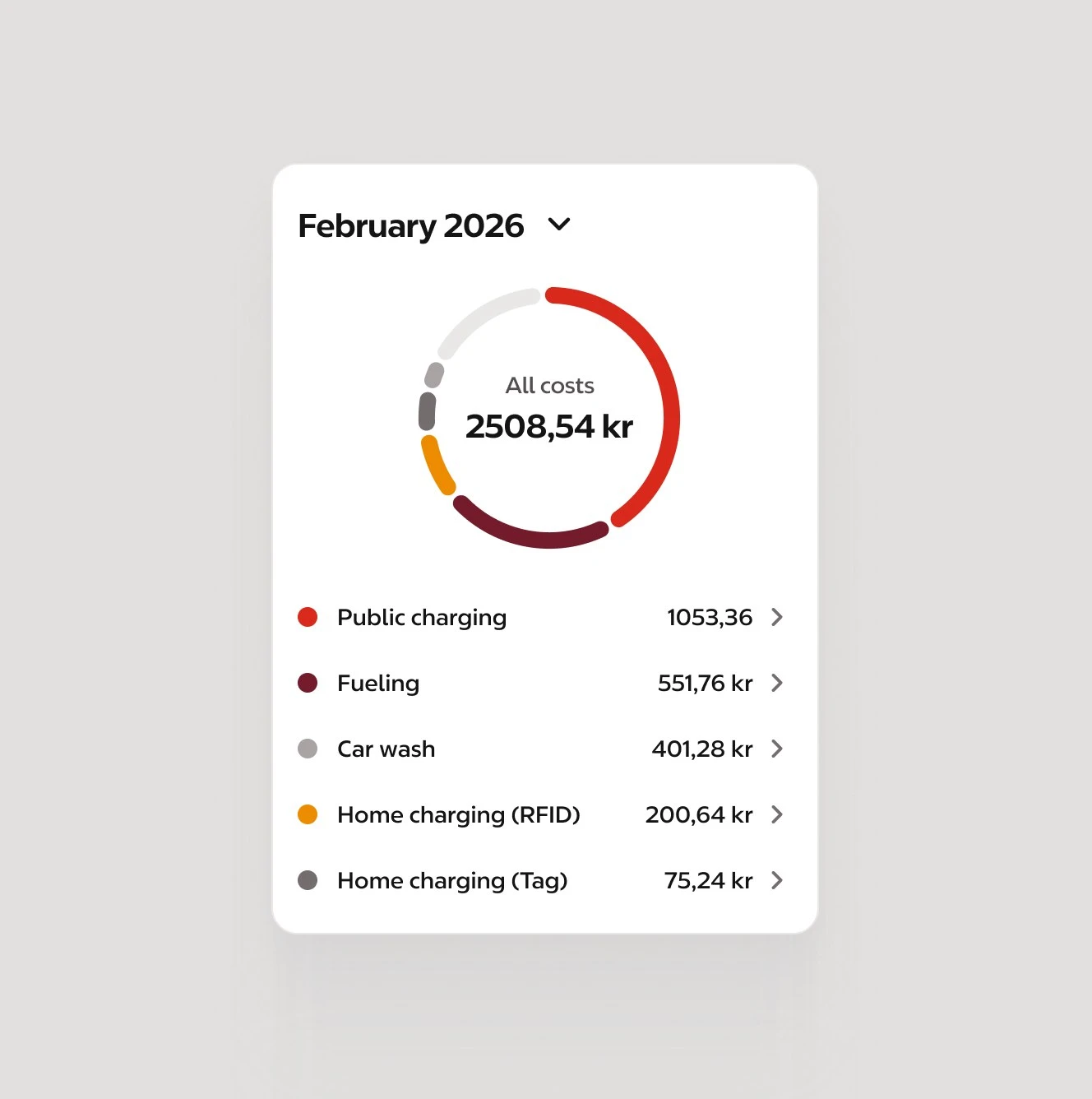
Costs by category, for drivers who charge both privately and for work.
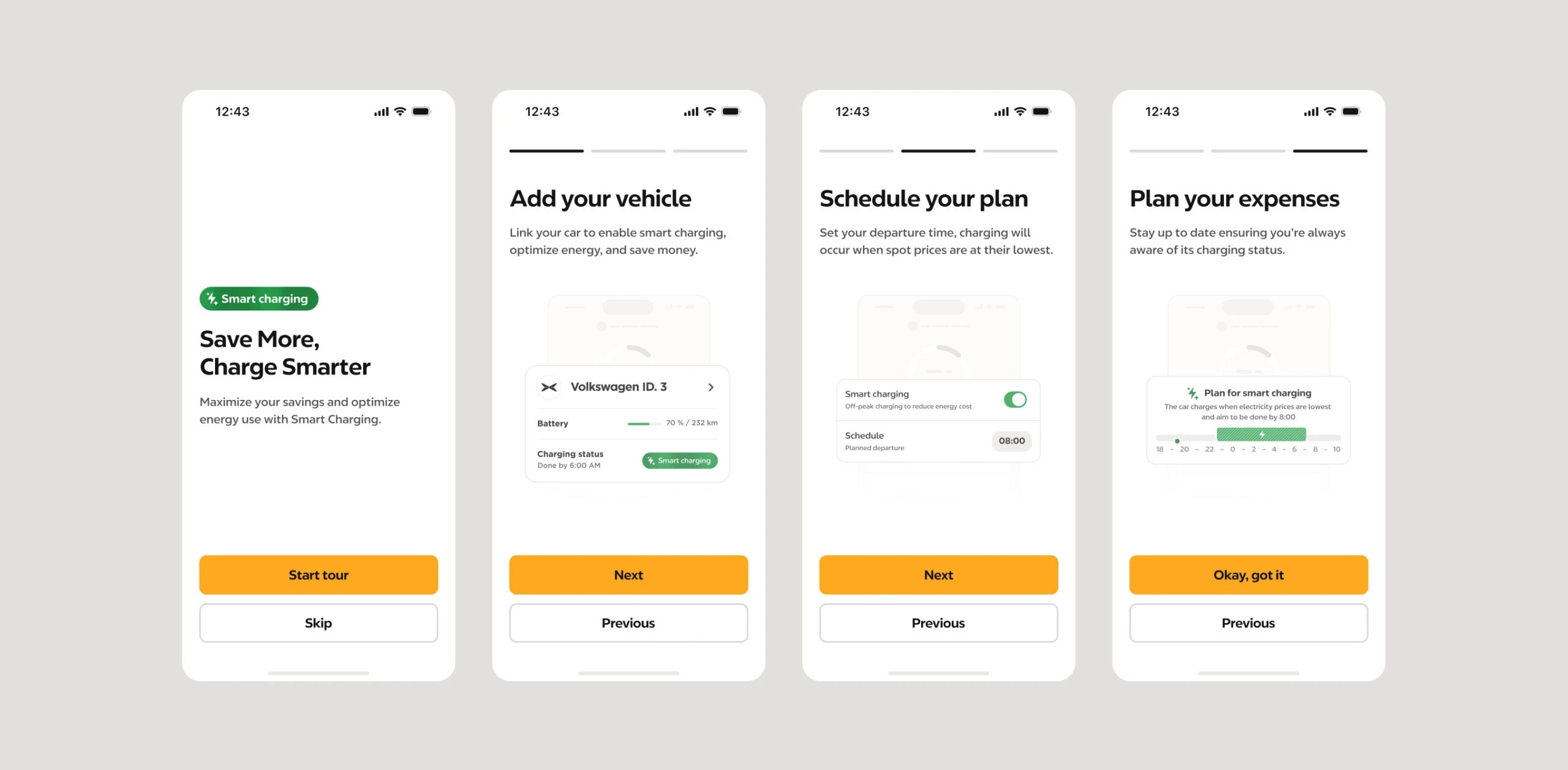
Smart Charging onboarding, one concept per step.
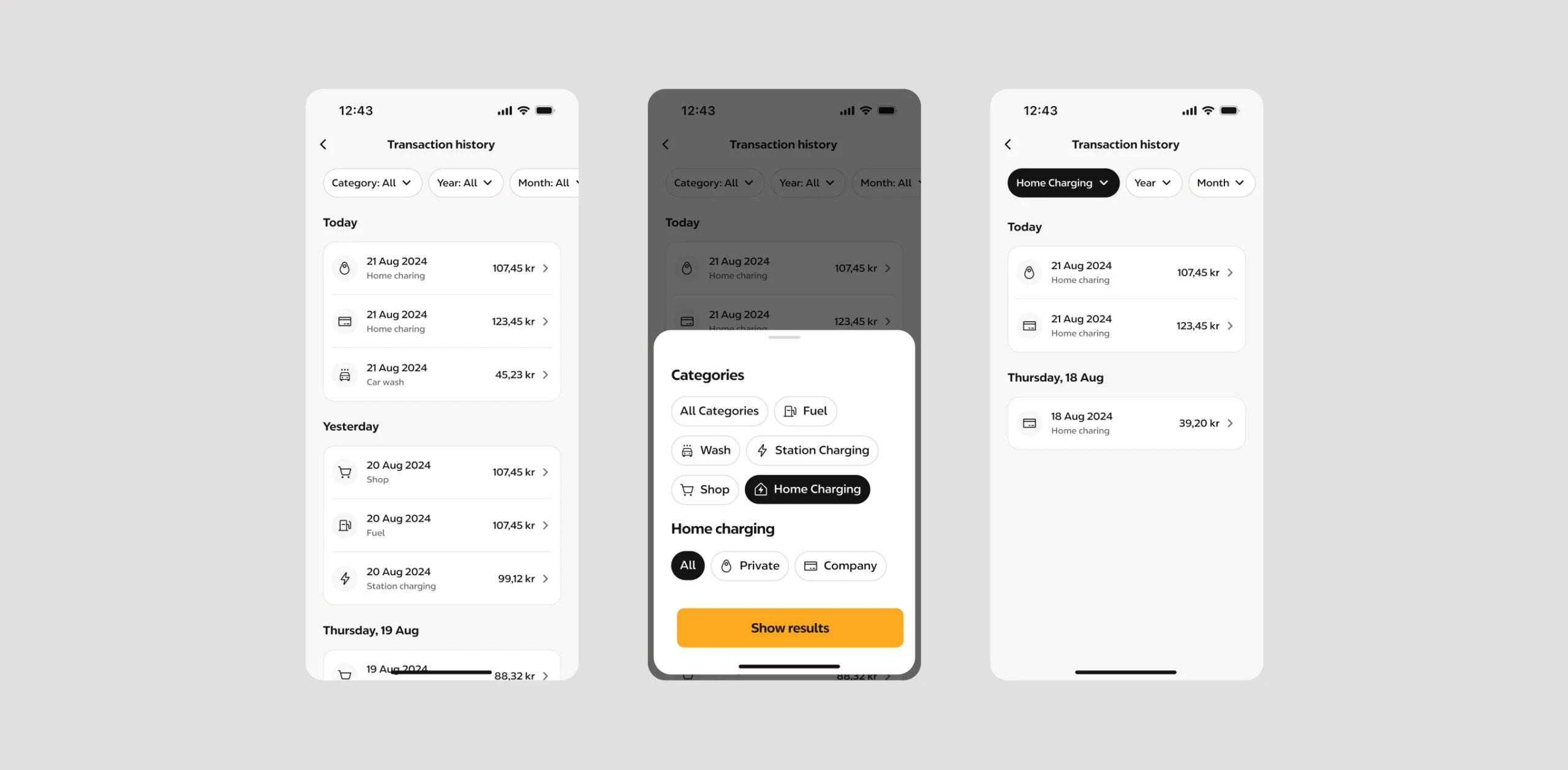
Transaction history with filters, for fleet cost management.
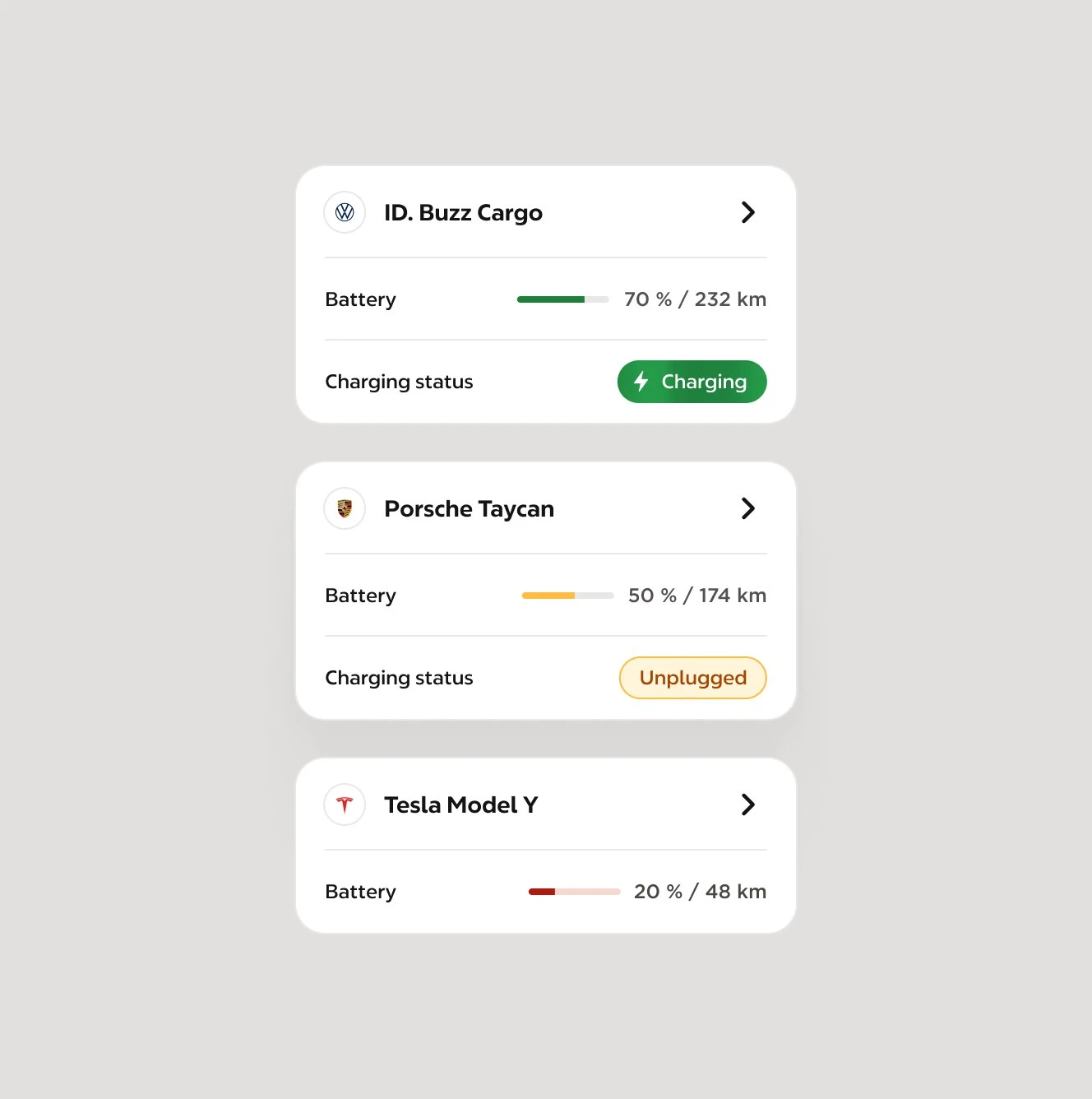
Every company car in one place, with battery level and charging status.
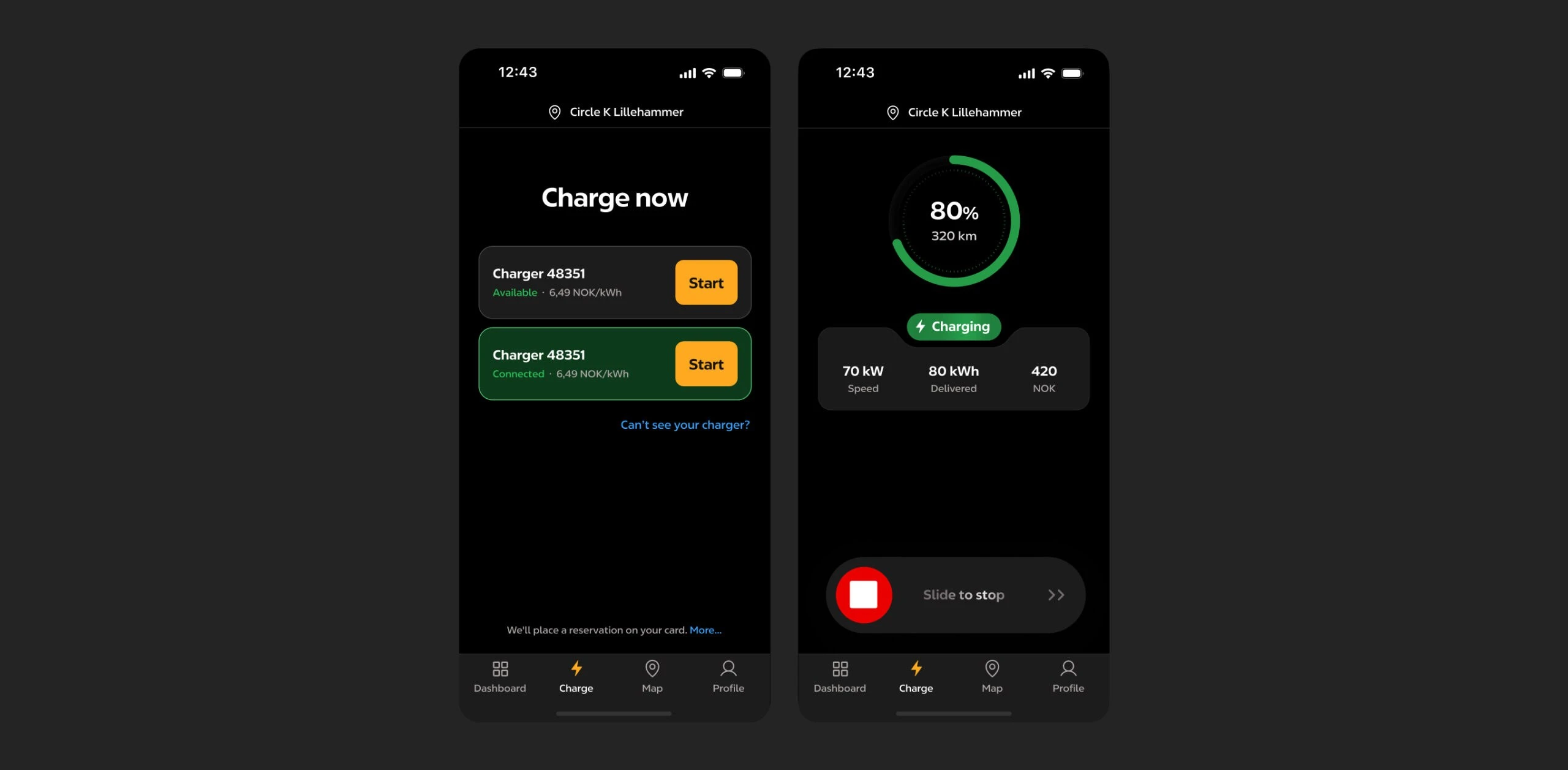
The charging flow in dark mode.
Impact
- EV Mode reached 30.5k installed users in the first 30 days after launch.
- It acquired 2.69k new users in the first month.
- Support received fewer charging calls after the Help Center went live.
- Handoff sped up: engineers built from screens documented with every state and from shared EV design system components, with far fewer questions back.
Next up
Explore more projects
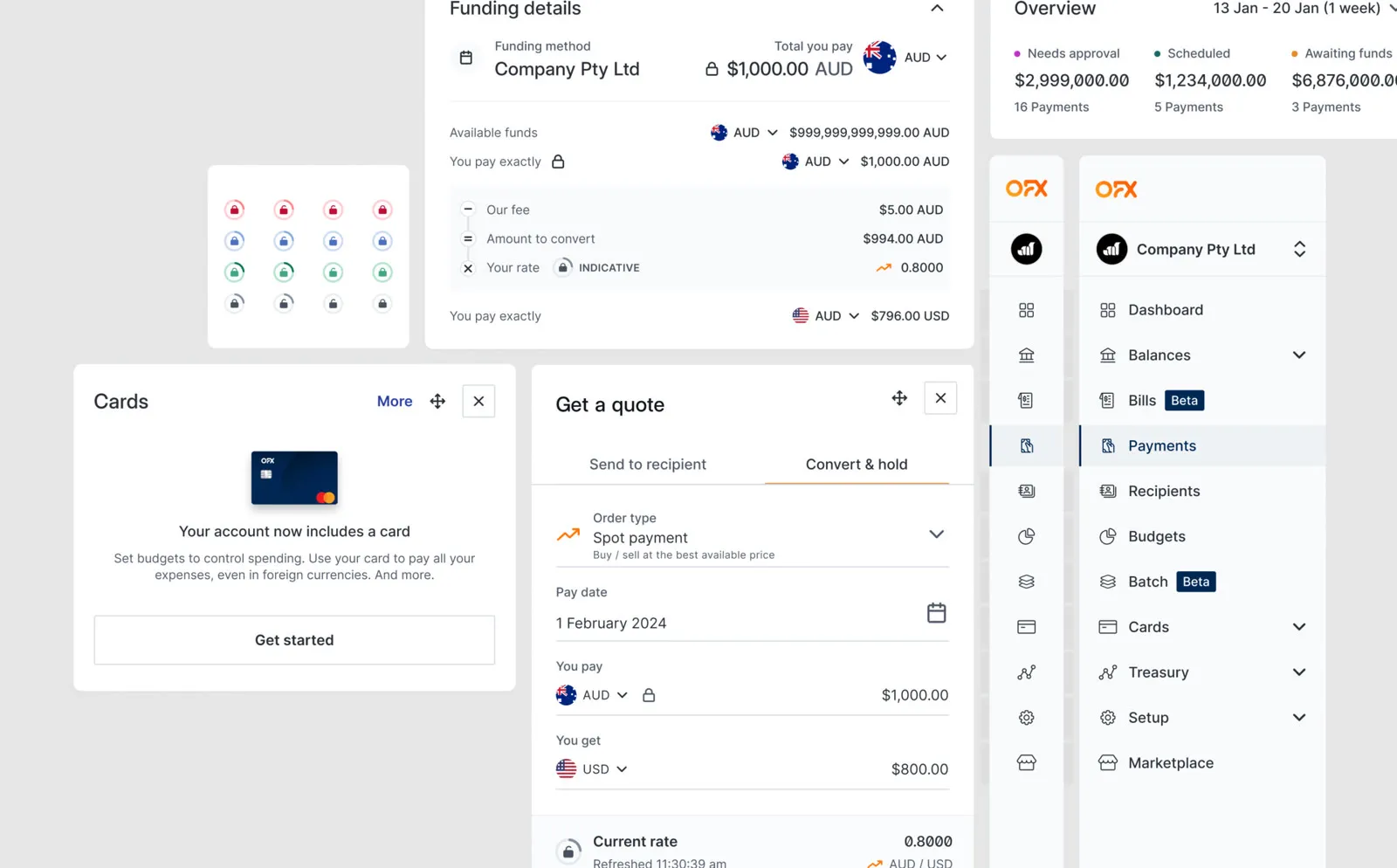
- 01One design system for OFX after the Paytron acquisition
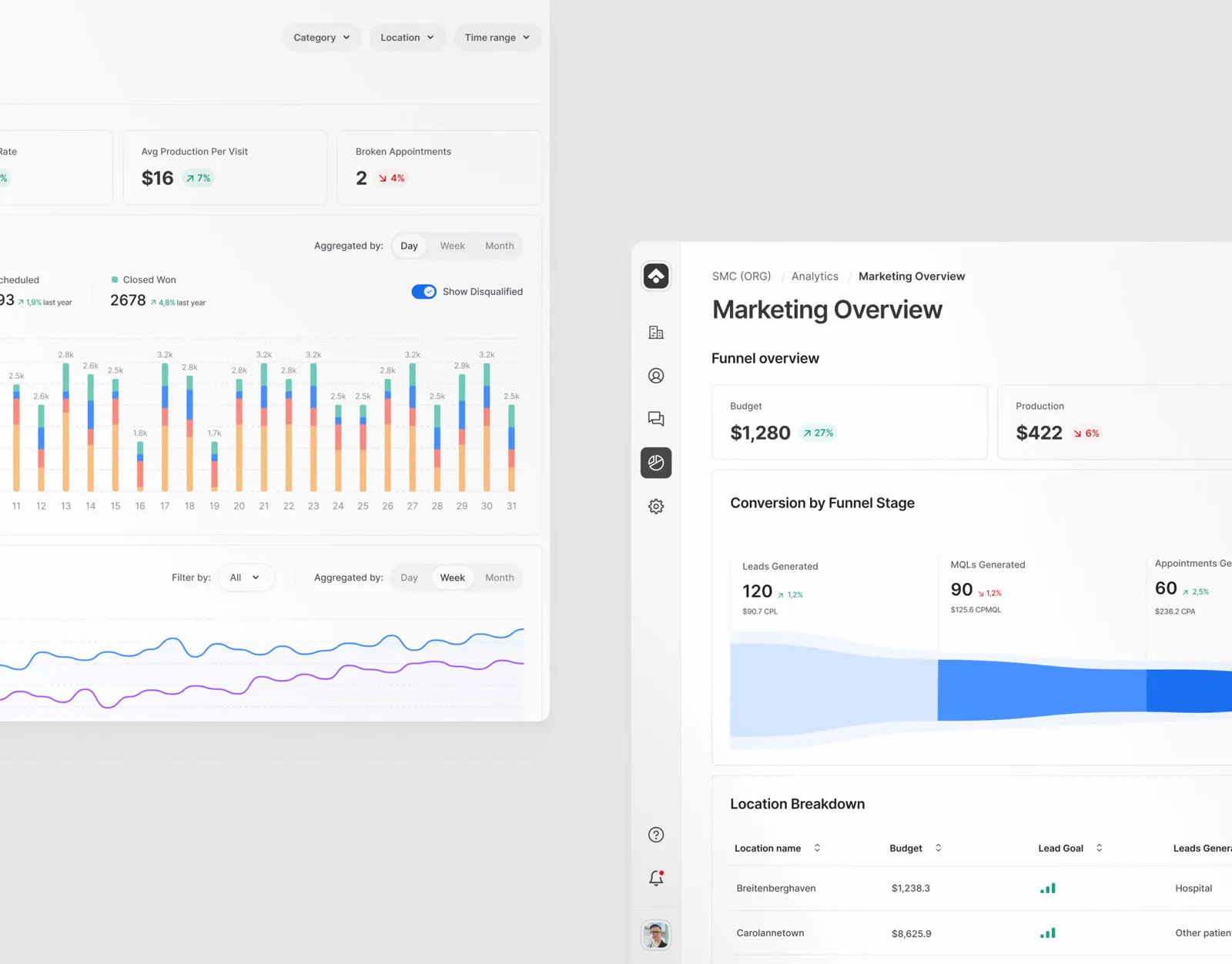
- 02Trackable: one platform for dental marketing and patients
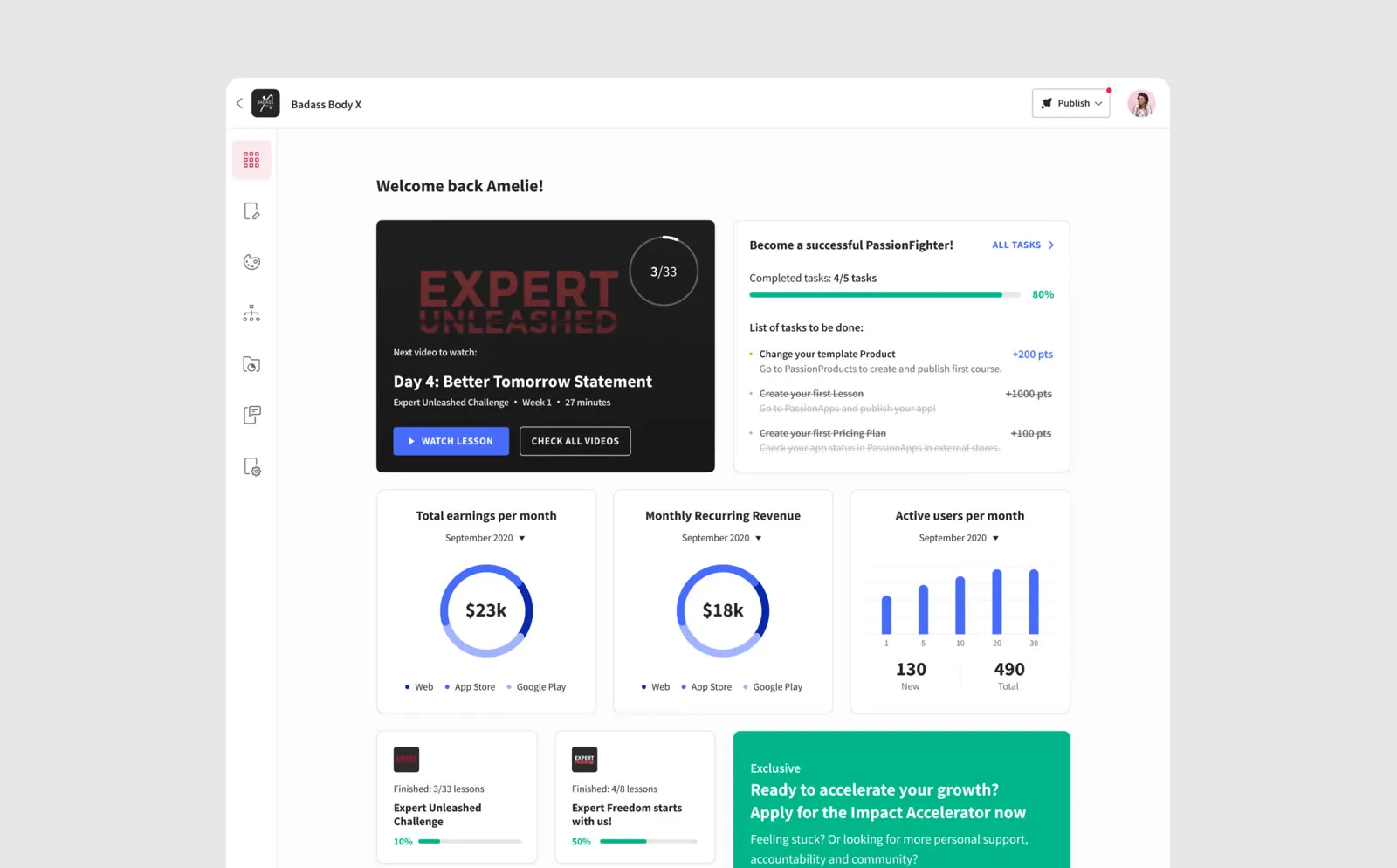
- 03Creator tools for Passion.io’s no-code app builder
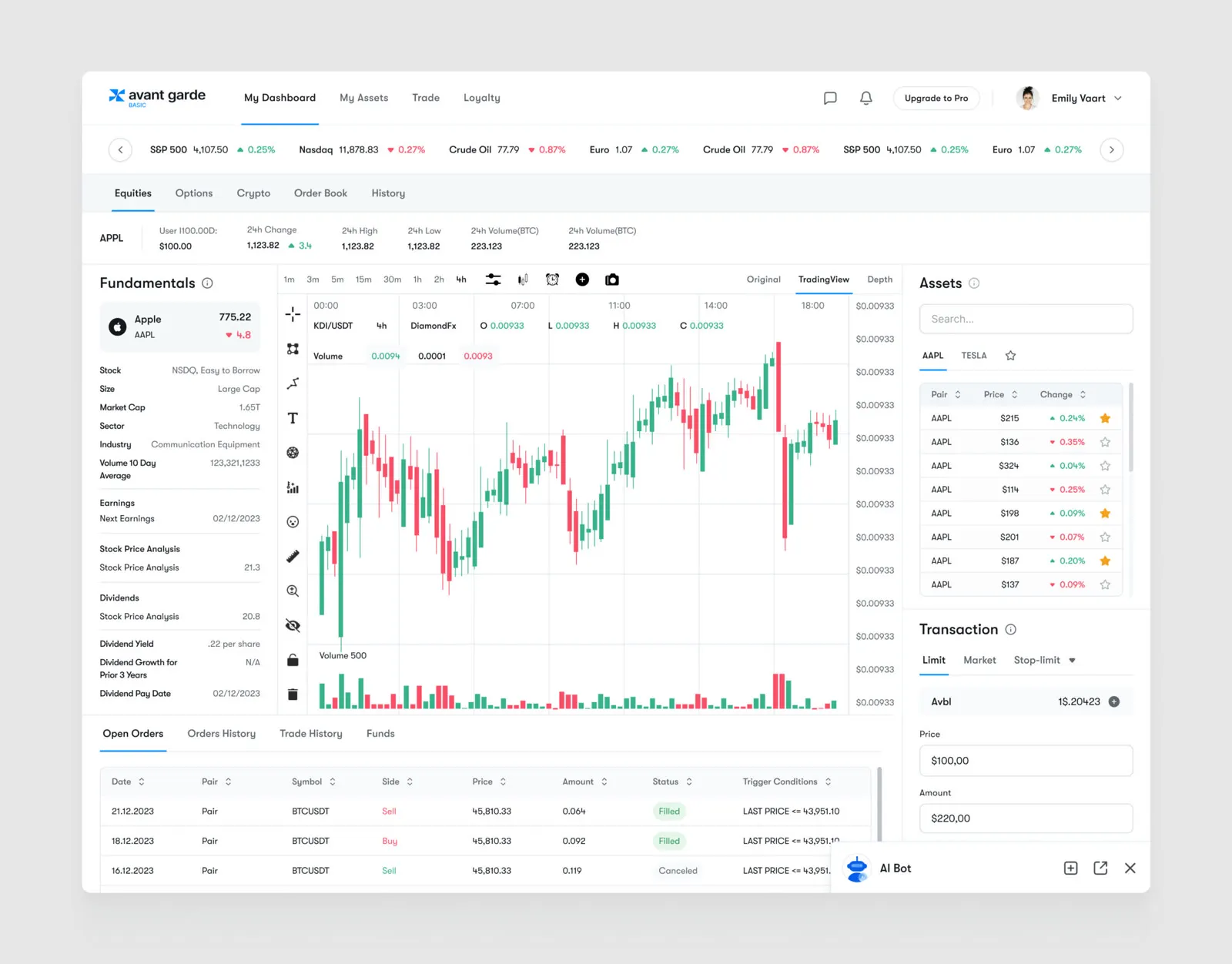
- 04Clearer trading decisions on Avant Garde’s AI platform