Marketing and patients in one place: Trackable for dental practices

Trackable is a dental CRM built for new patient growth: one system to see every lead and what actually brings new patients in. As the only designer at this early-stage startup, I designed the web app from the ground up: marketing analytics and patient management in one platform, built on a style guide and component library I created alongside it.
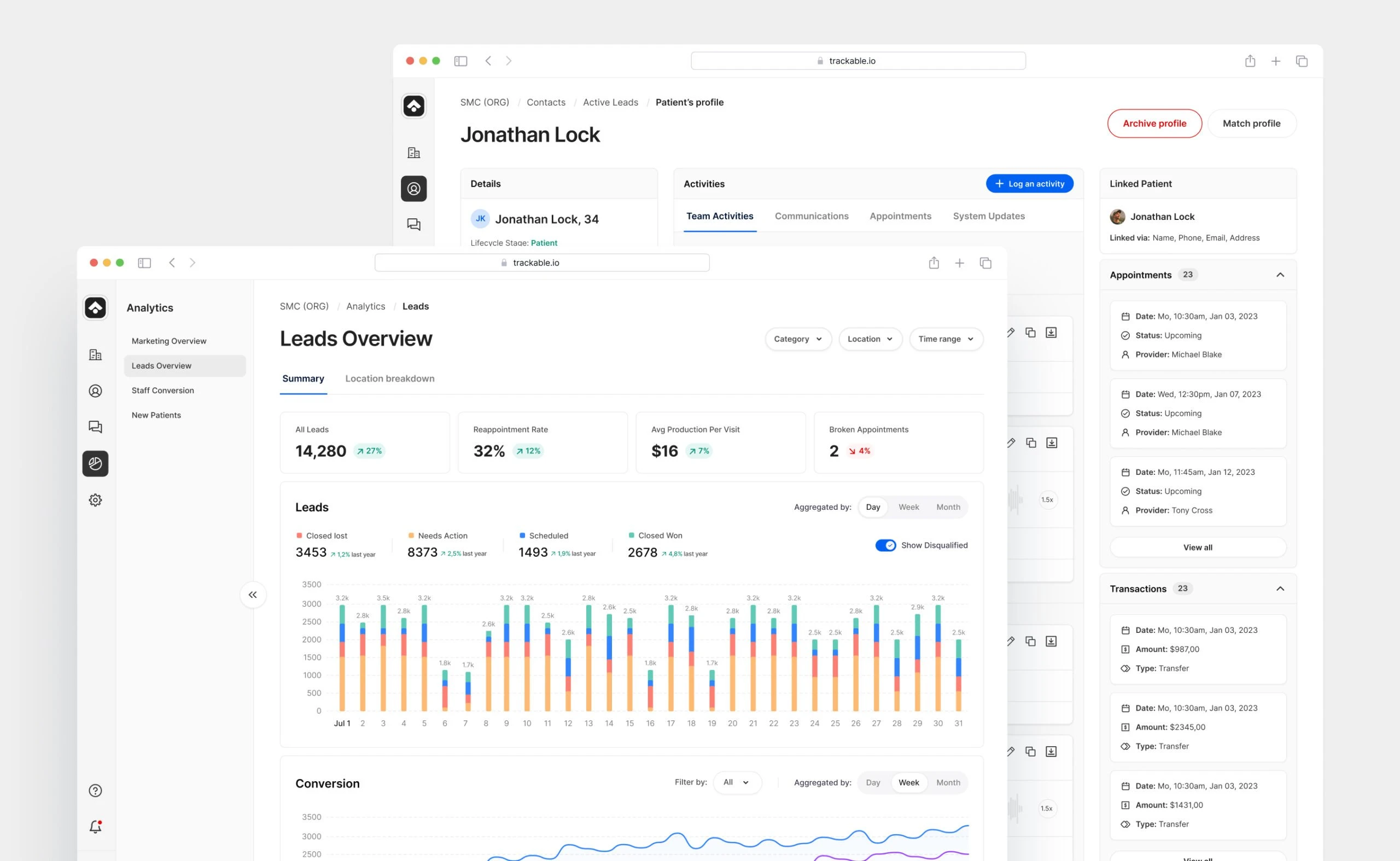
- 201
- screens designed, with their states, from analytics to call review and settings.
- 500+
- dental practices use the platform today.
- 34%
- average lift in new patients that Trackable reports for practices on the platform.
Problem and goal
Dental practices managed marketing and patient data in disconnected tools. Seeing which campaigns brought in new patients, and what happened to those leads afterwards, meant jumping between systems.
The goal was one platform for both, used by the whole practice: owners who want to see what works, whoever handles marketing, and the front desk that calls leads back. It had to be quick to adopt and deep enough for the data, without overwhelming people who run a dental practice, not a marketing department.
What the workshop showed
Together with our UX researcher, I ran a two-day workshop with Trackable’s team. On day one we built 7 personas, from marketing managers and client success managers to practice owners, office managers, front desk staff and the team that reviews calls, and mapped 6 user types with their access. On day two we turned user stories into user flows. Three findings shaped the product.
- Hundreds of locations, only tables. Marketing managers looked after hundreds of practice locations, but had nothing beyond tables. Getting a snapshot before a client meeting, or updating monthly budgets location by location, took far too long.
- Leads lost between tools. The front desk managed leads in several places, with no clear next step for leads that didn’t book right away. Missed calls and slow replies meant lost appointments.
- Call notes that invited mistakes. The team reviewing calls worked in a slow third-party tool, where adding notes was error-prone and there was no clear view of which calls were still left.
Key decisions
- Two worlds, one navigation. Marketing and patient management live side by side, separated at the navigation level, so neither overloads the other. Where the two meet, like a lead becoming a patient, they share context instead of sending people to another section.
- Access built around six user types. From Trackable’s own team to an organization’s admins and a practice’s front desk, every user type sees only the organizations, workspaces and locations it is responsible for, with the right level of editing. Large groups see the whole picture, a front desk sees its own practice.
- A call queue instead of a third-party tool. For the team reviewing calls, I designed a list of calls left to review, with tags and notes added right on the call, so there is one place to work and fewer chances to make a mistake.
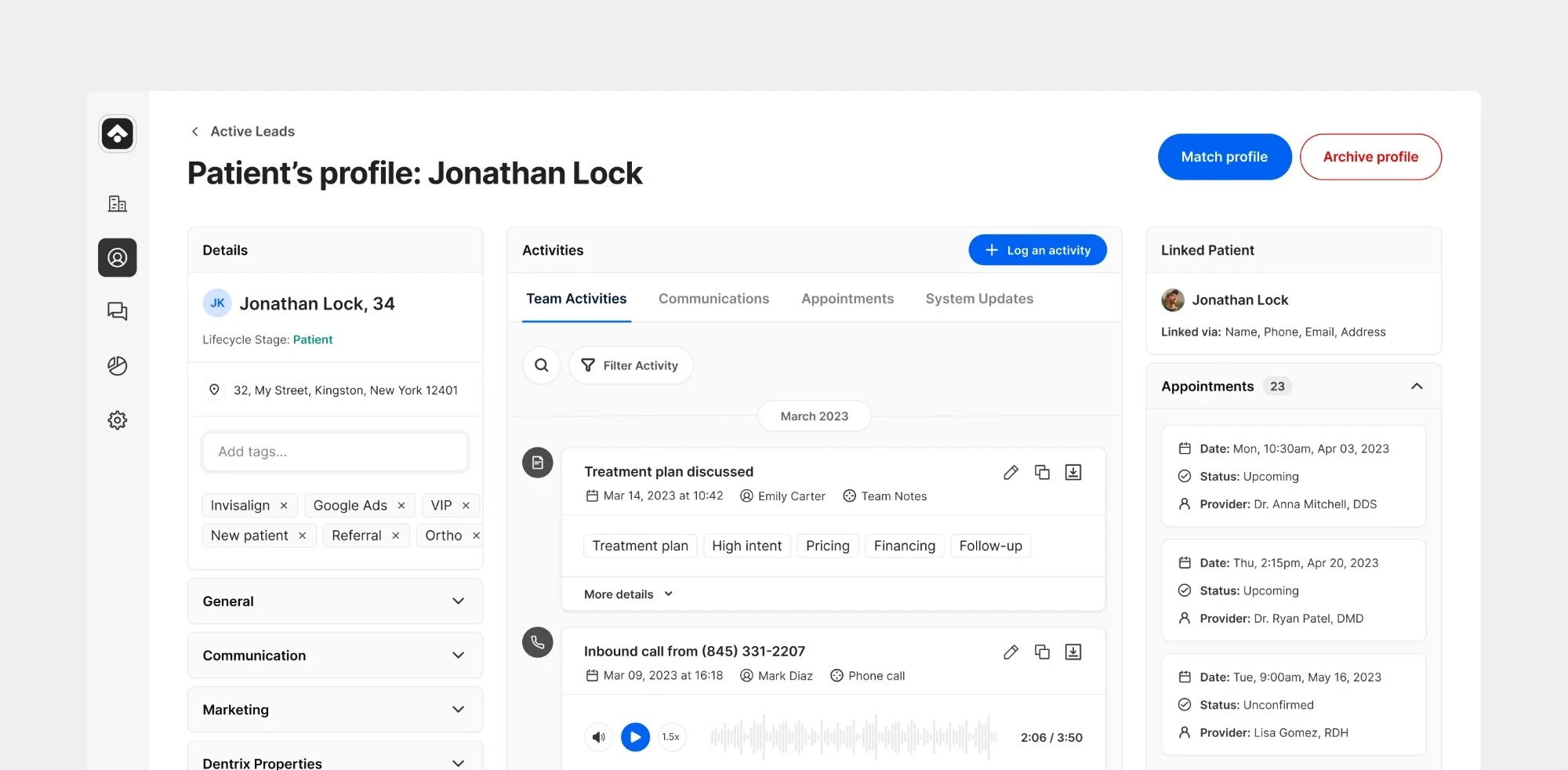
A lead becomes a patient: one profile, matched to the practice’s records, with notes, calls and appointments in one place.
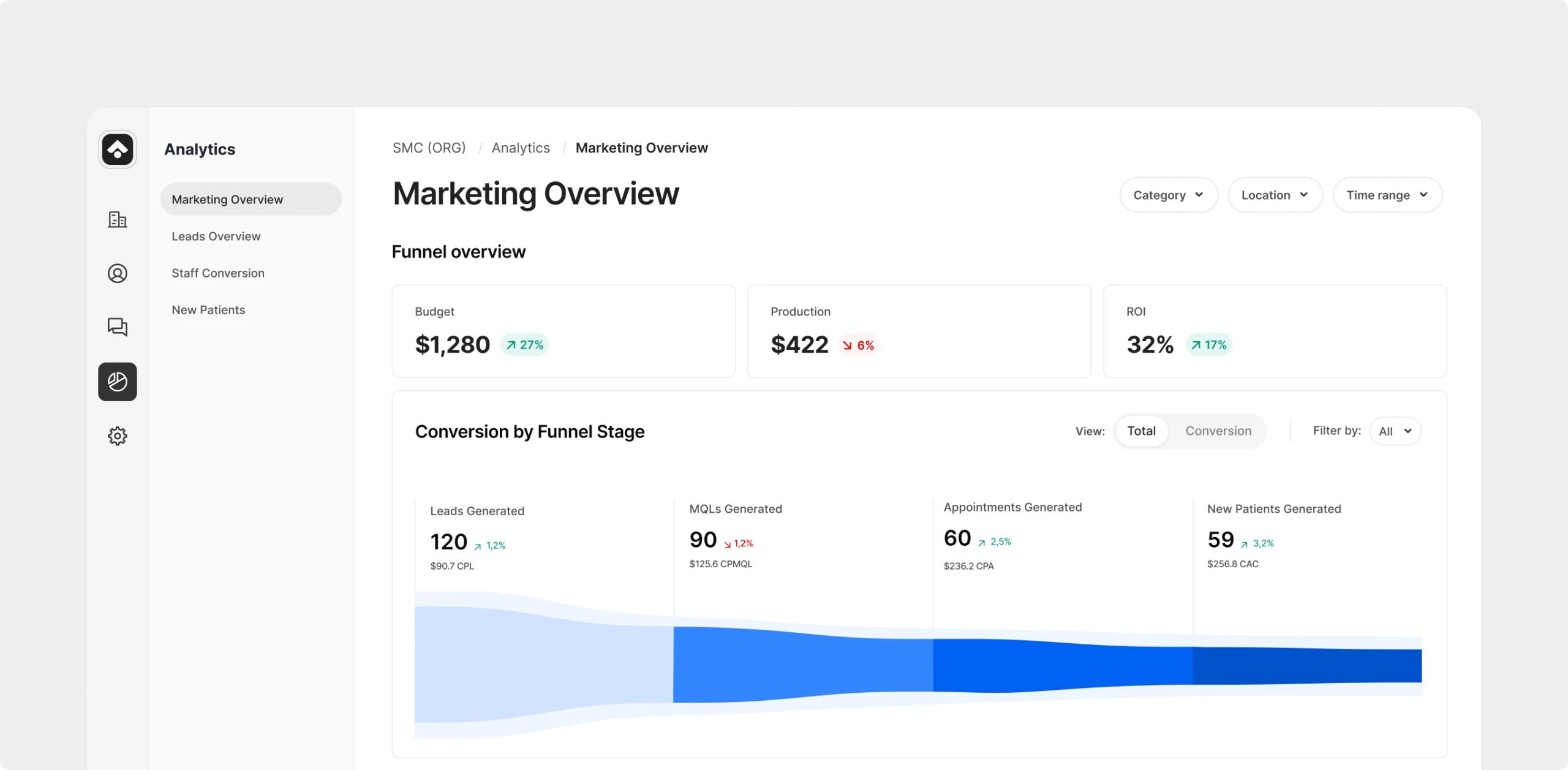
Marketing: budget, production and ROI, with the full funnel from lead to appointment.
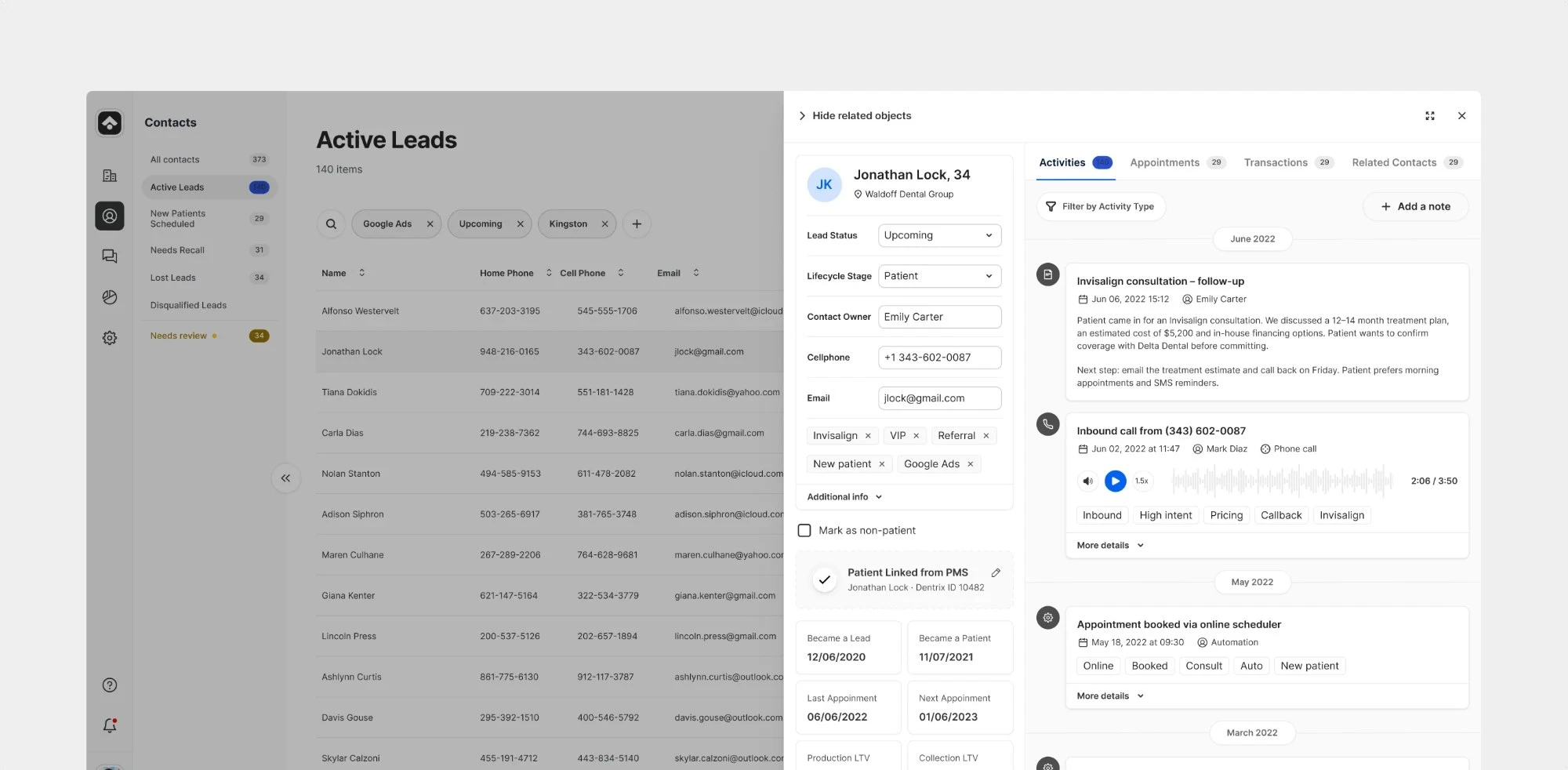
Active Leads: the front desk’s list of who needs follow-up, with a drawer that shows a contact’s status, owner, linked PMS record and full history without leaving the list.
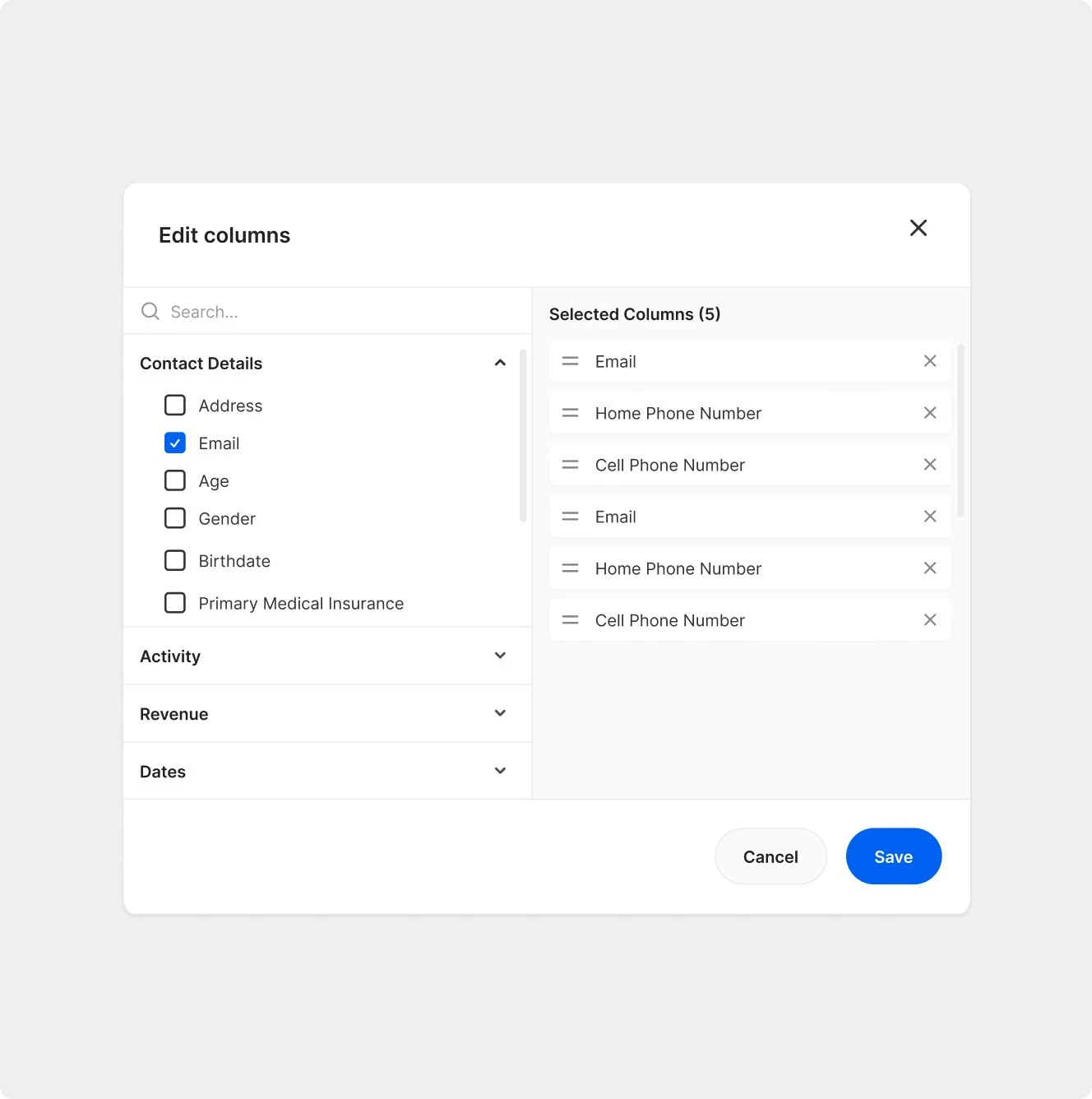
Teams choose which data they see in tables.
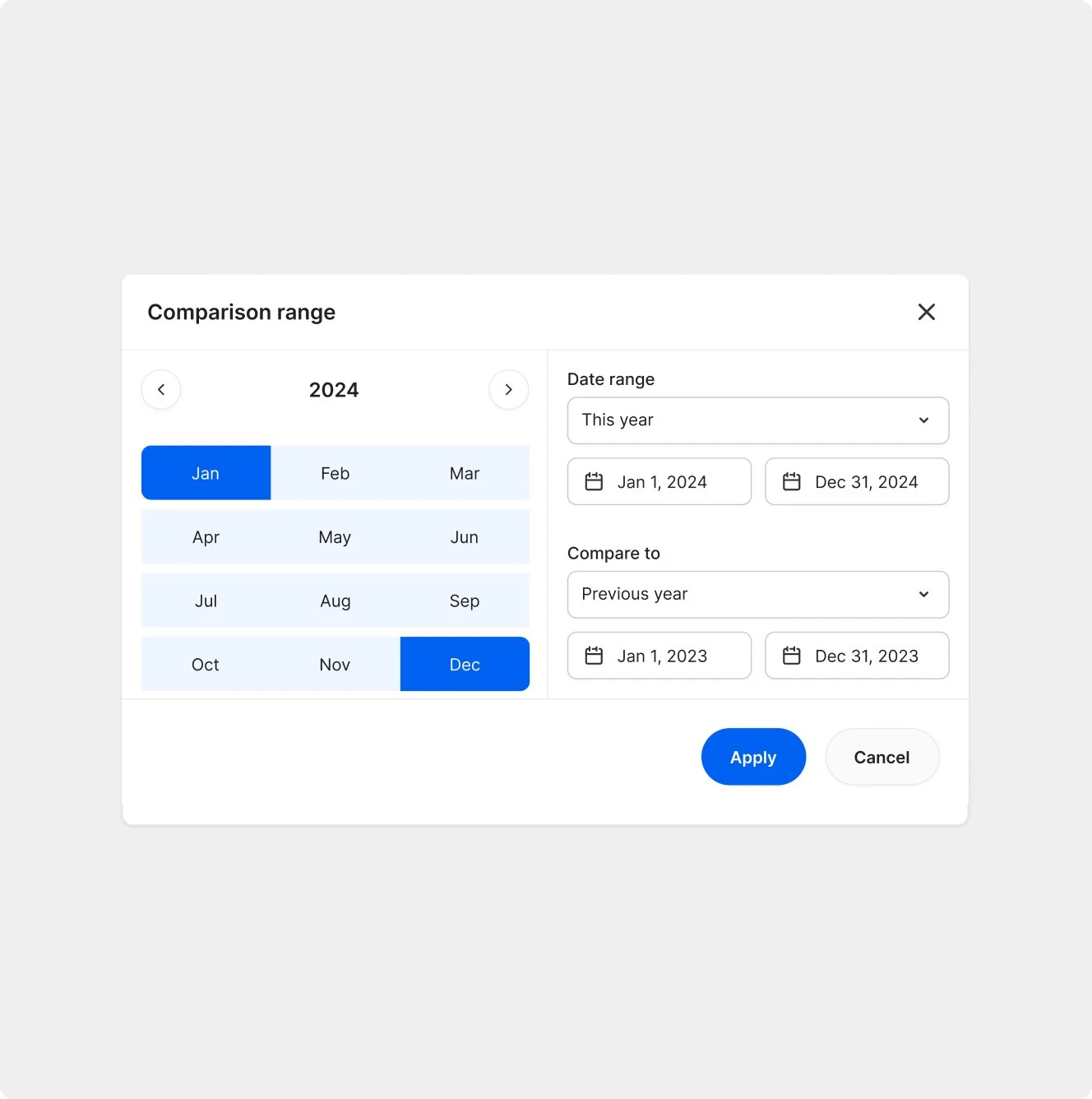
Comparing periods, a pattern reused across all analytics.
What I designed
- Analytics on two levels. Dashboards for marketing, leads, new patients, staff performance and revenue, plus a combined marketing view. Each works for a whole organization and for a single workspace, so a group with hundreds of locations and a single practice use the same screens.
- Contacts and activity. Every lead followed from the first call to a booked appointment: a global contact list, single patient profiles with their actions, a quick-view drawer, an activity feed, call recordings and transcripts matched to the right contact, and exports.
- Call team. A queue of calls left to review, with tags and notes on each call, and a dashboard for the call team manager.
- Settings and access. Organization and workspace settings: companies, users and their roles, locations, operating hours, data mapping, tag management, imports, and integrations with the tools practices already use for ads and phone tracking.
- Style guide and component library. Before designing screens, I set up the style guide and the component library behind every screen, from tables, filters and charts to forms and date pickers. As the only designer, that kept a growing product consistent and gave developers one clear reference.
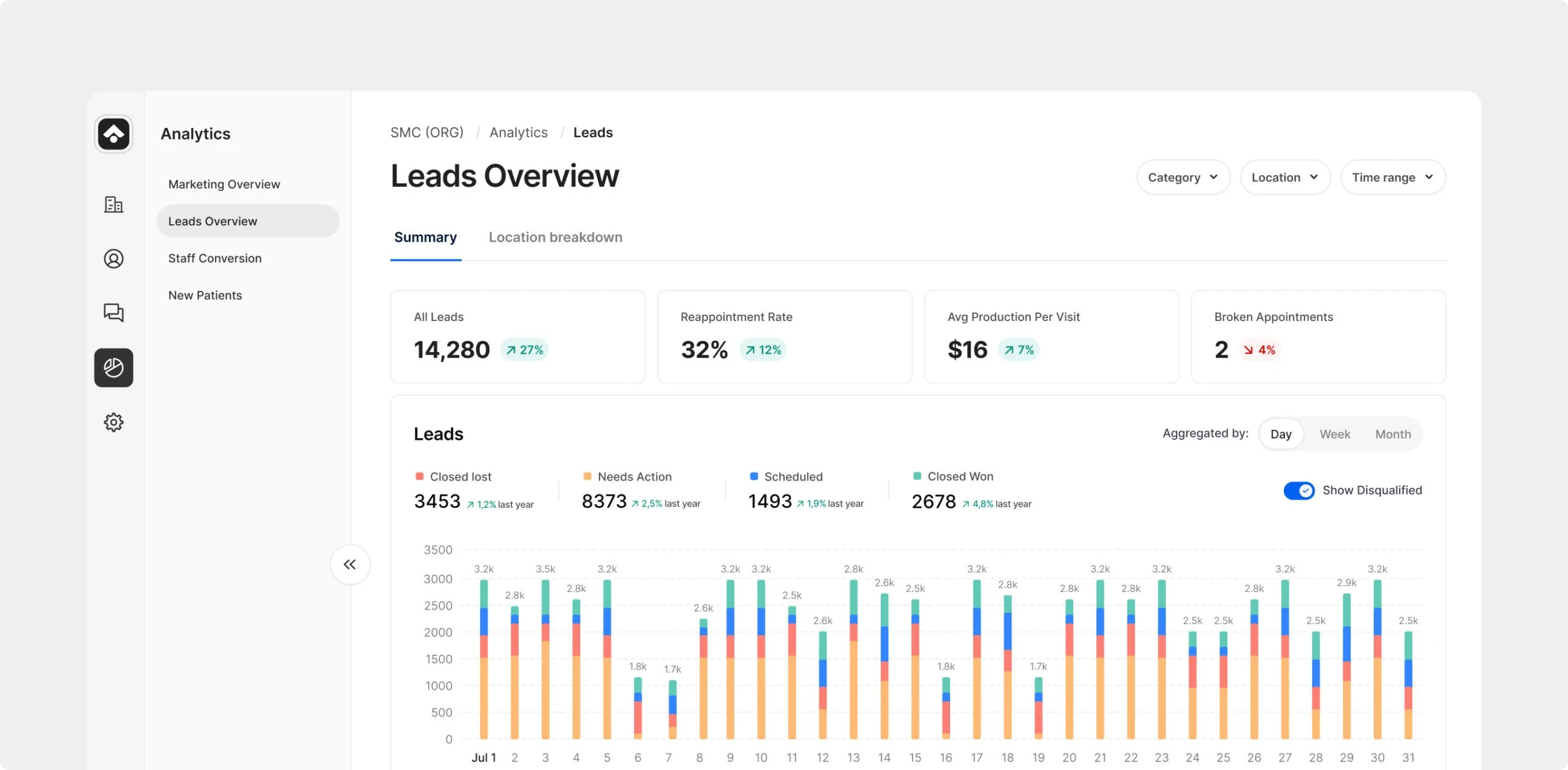
Leads overview: where new patients come from, day by day.
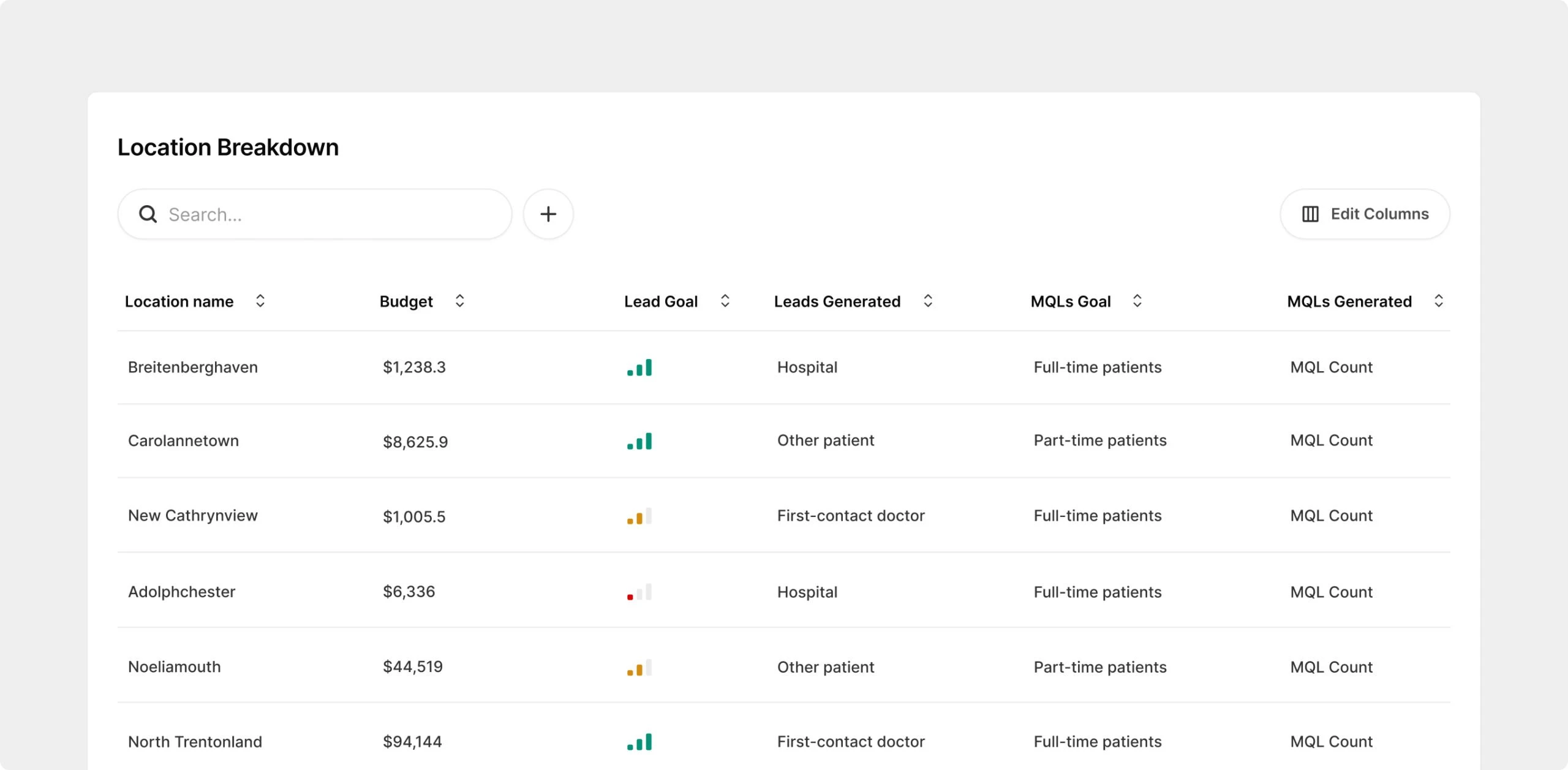
Location breakdown for practices with several offices.
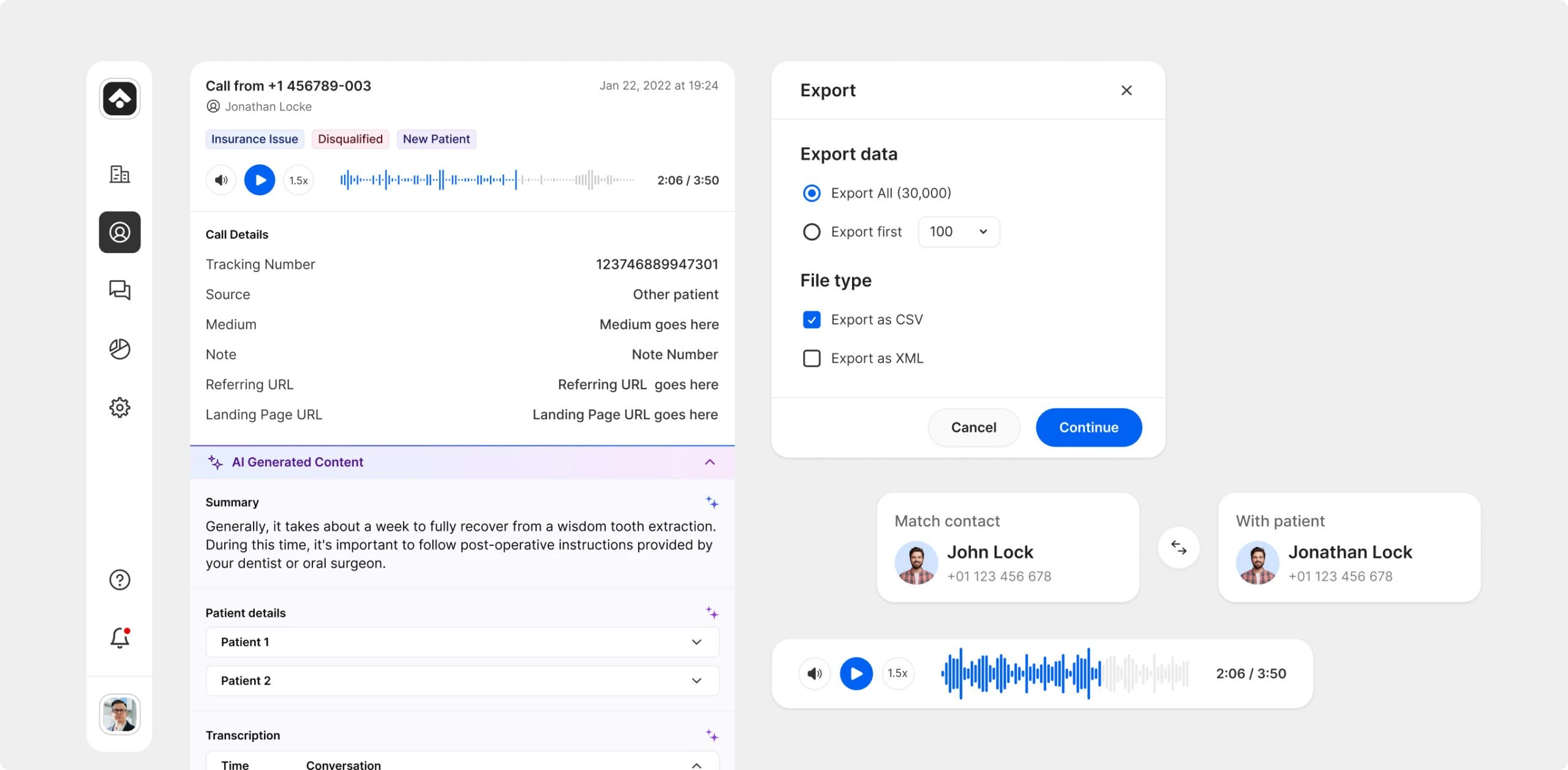
Call details: recording, transcript and the patient it belongs to.
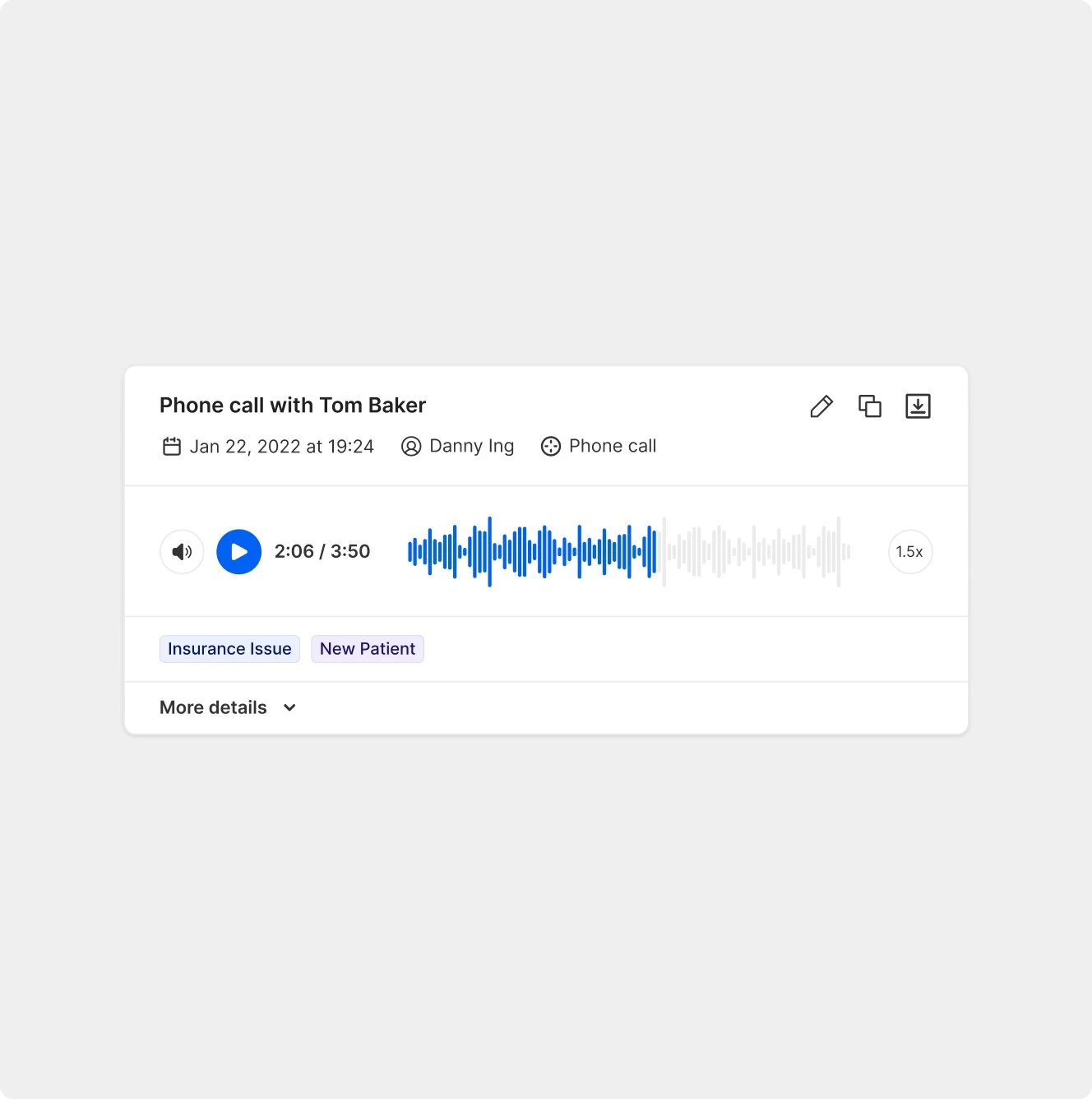
A call recording, ready to review.
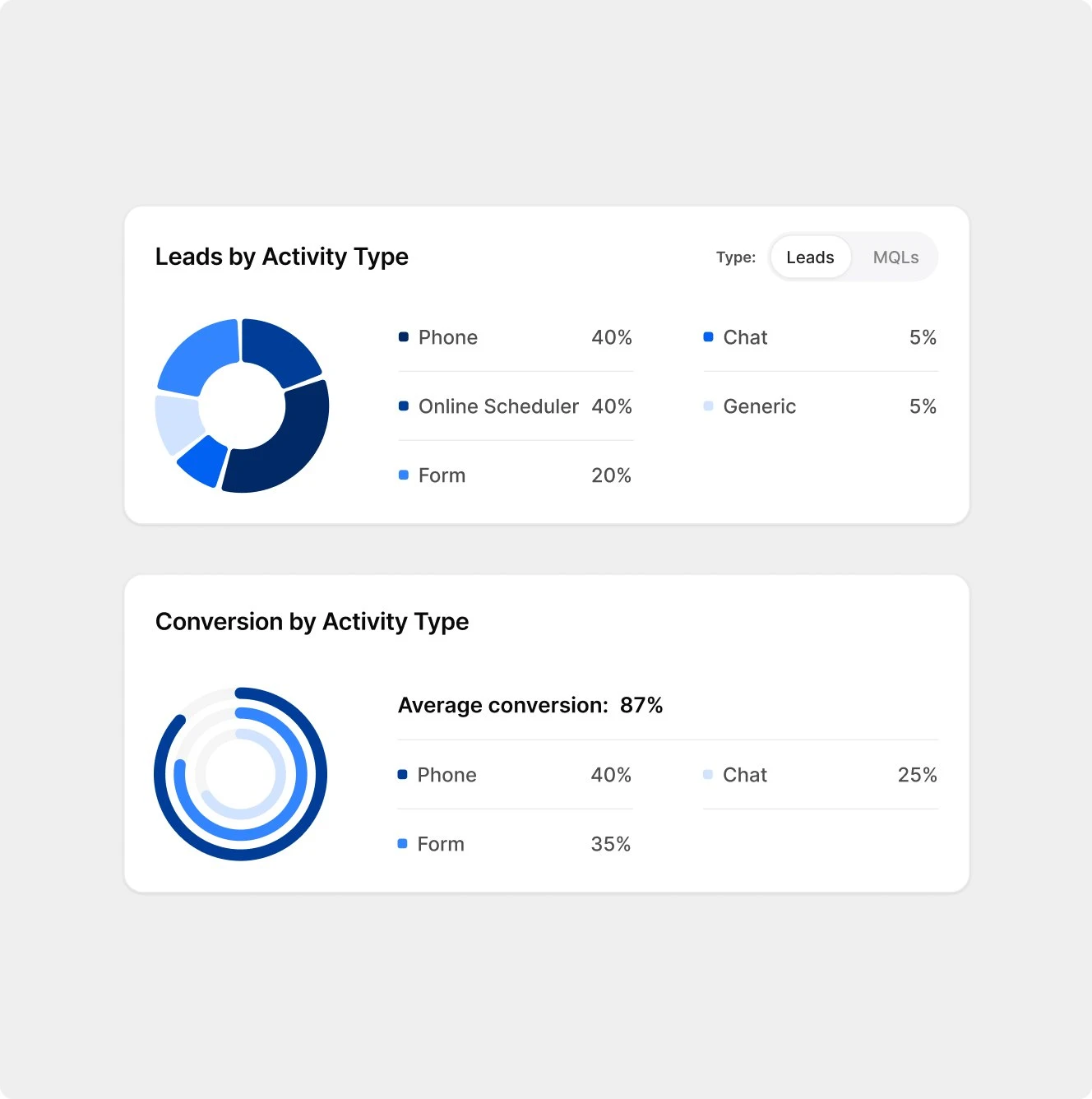
Leads and conversion by activity type.
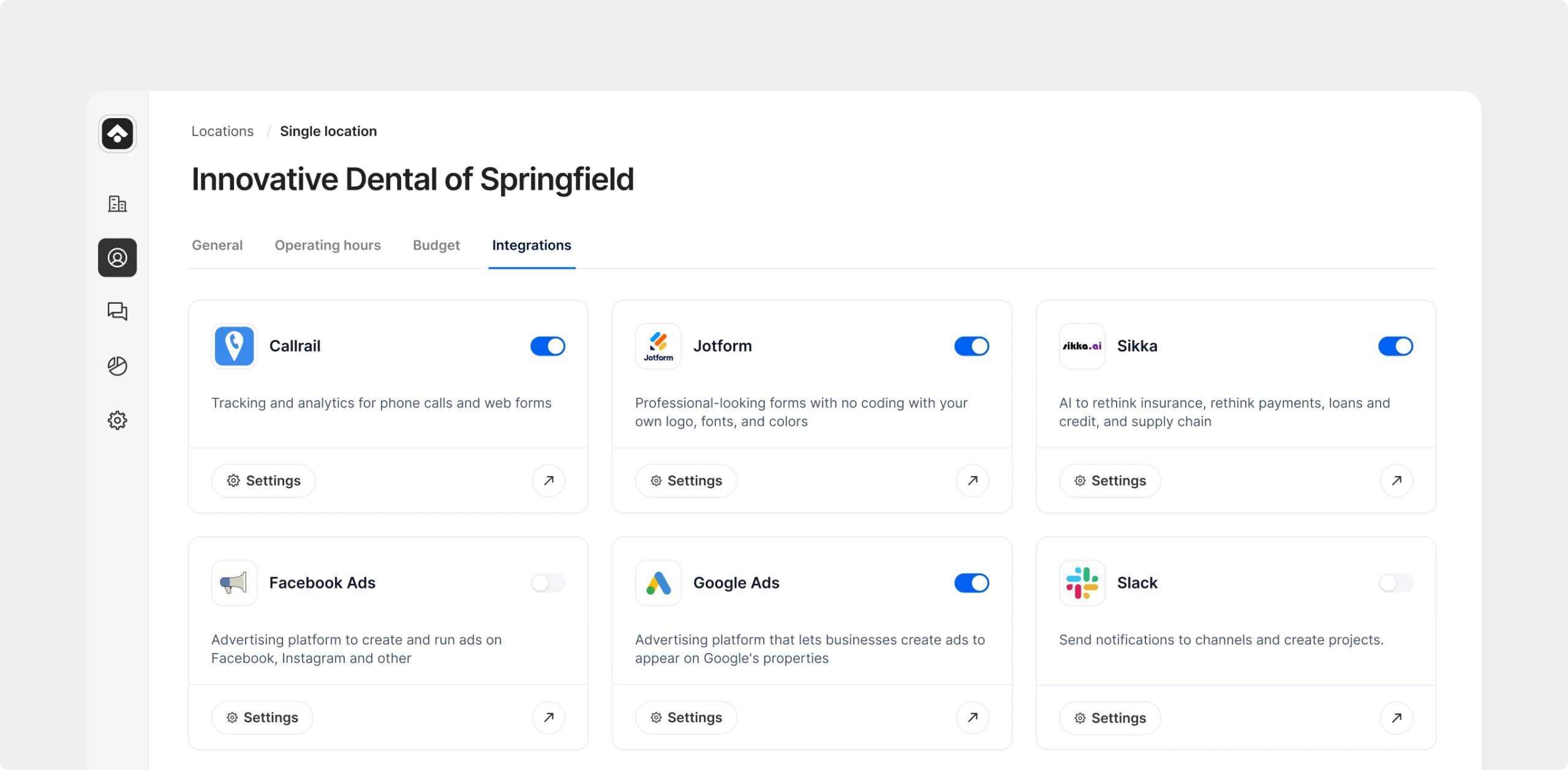
Integrations with the tools a practice already uses.
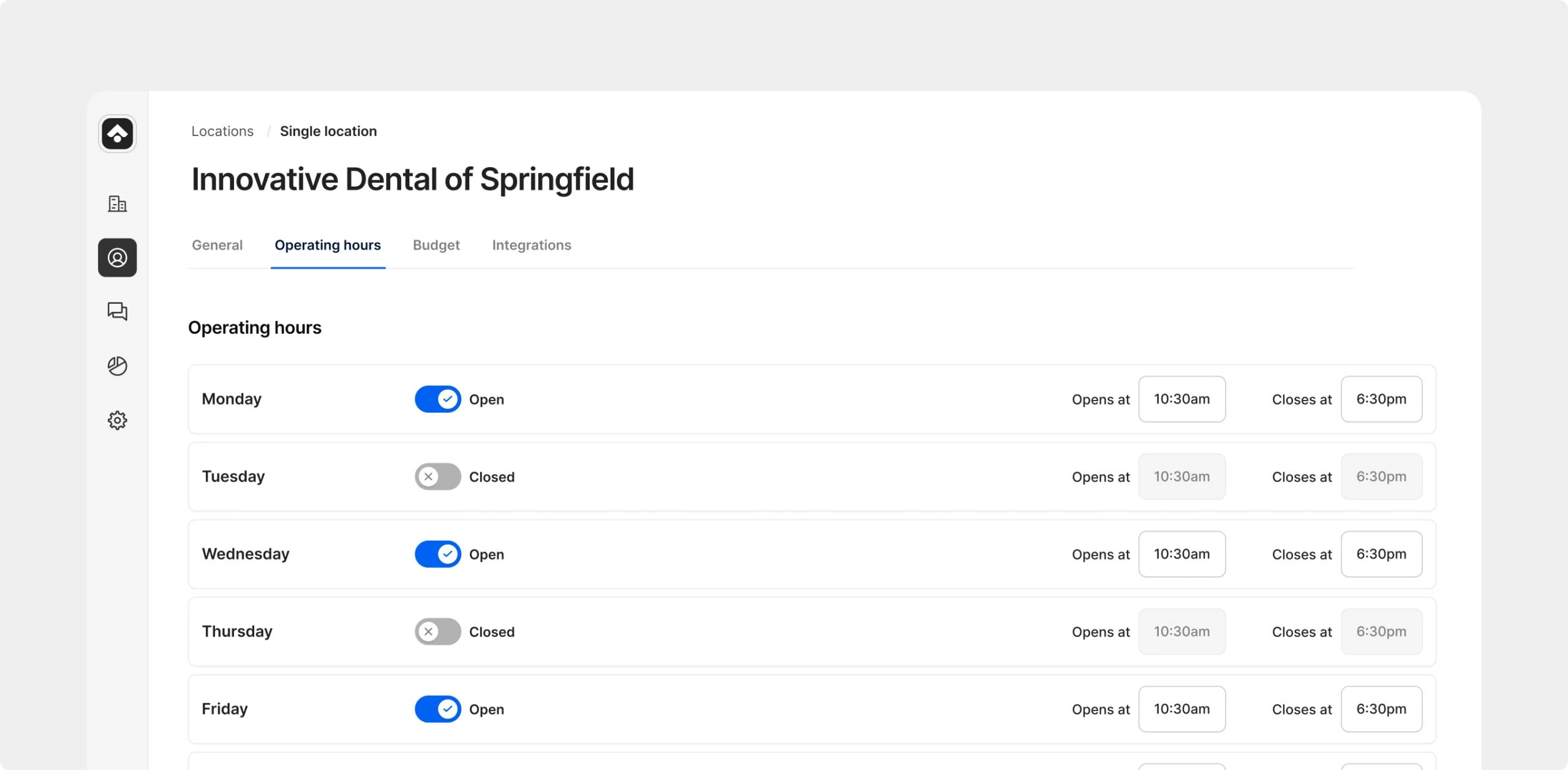
Operating hours per location.
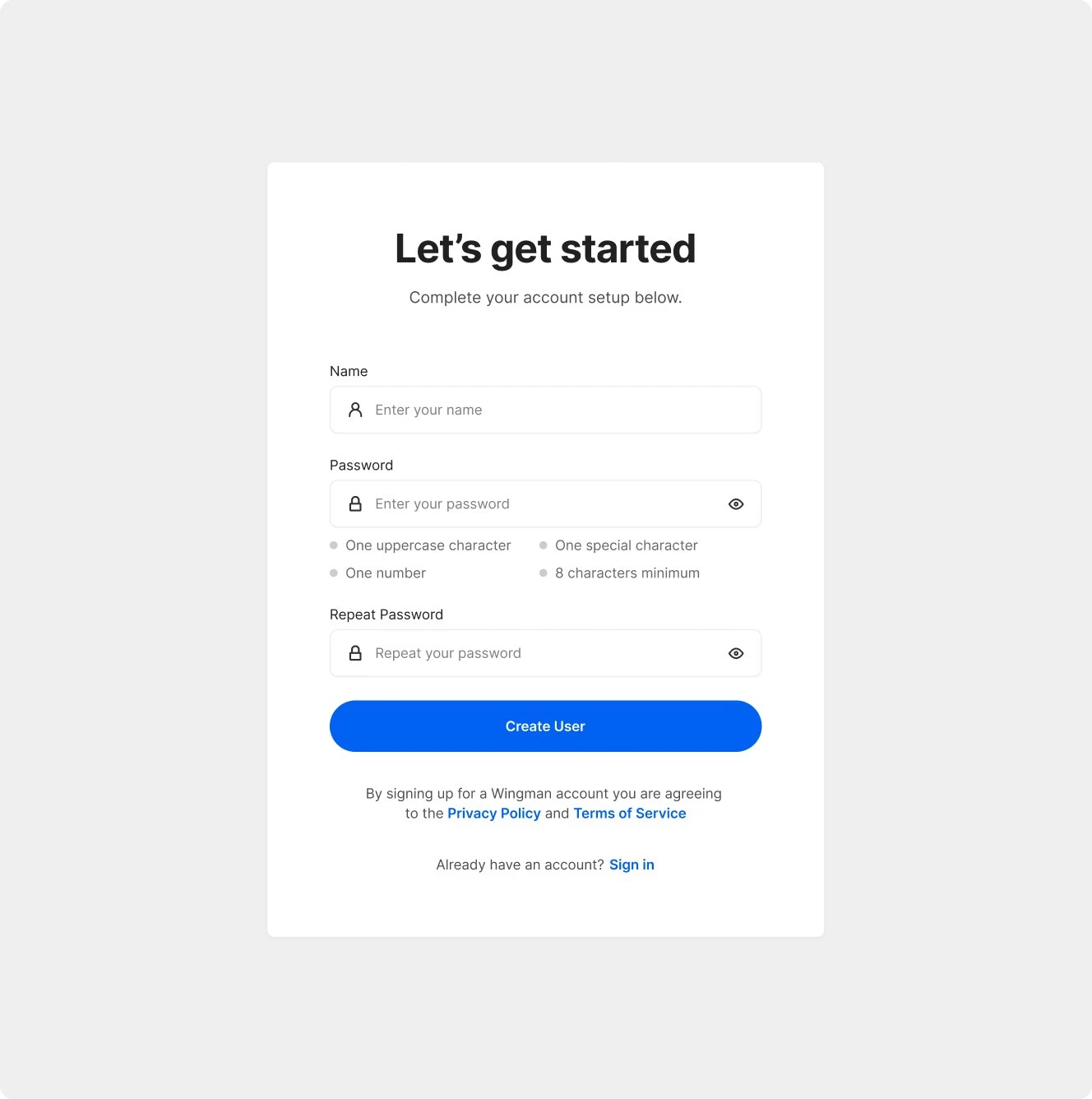
Getting a new practice started.
Impact
- A production-ready web app that brings marketing and patient management together for dental practices: 201 screens with their states, designed from scratch.
- The product is live, used by 500+ dental practices, and still built on the same style guide and component library.
- Trackable reports a 34% average lift in new patients and an average of $45K in production recovered within 90 days for practices on the platform.
Next up
Explore more projects
- 01Creator tools for Passion.io’s no-code app builder
- 02Clearer trading decisions on Avant Garde’s AI platform
- 03One app for charging Circle K company cars
- 04One design system for OFX after the Paytron acquisition